How to choose alert management software: a buyer's guide

To choose alert management software, start by pricing your real on-call roster and alert volume, then test whether the tool routes, groups and escalates your last 30 days of alerts correctly. The seat price on a vendor's pricing page is the floor of the bill, not the bill. Add-ons for noise reduction, status pages, AI and phone notifications often decide the total, and the rules on who counts as a billable user decide the rest.
The timing matters in 2026. Atlassian ends Opsgenie support on April 5, 2027, which puts every Opsgenie customer into a buying cycle, and several vendors in the category changed owners or packaging in the last year. This guide gives a budget owner the criteria, the cost model and the contract questions to make one decision that holds for three years.
What is alert management software?
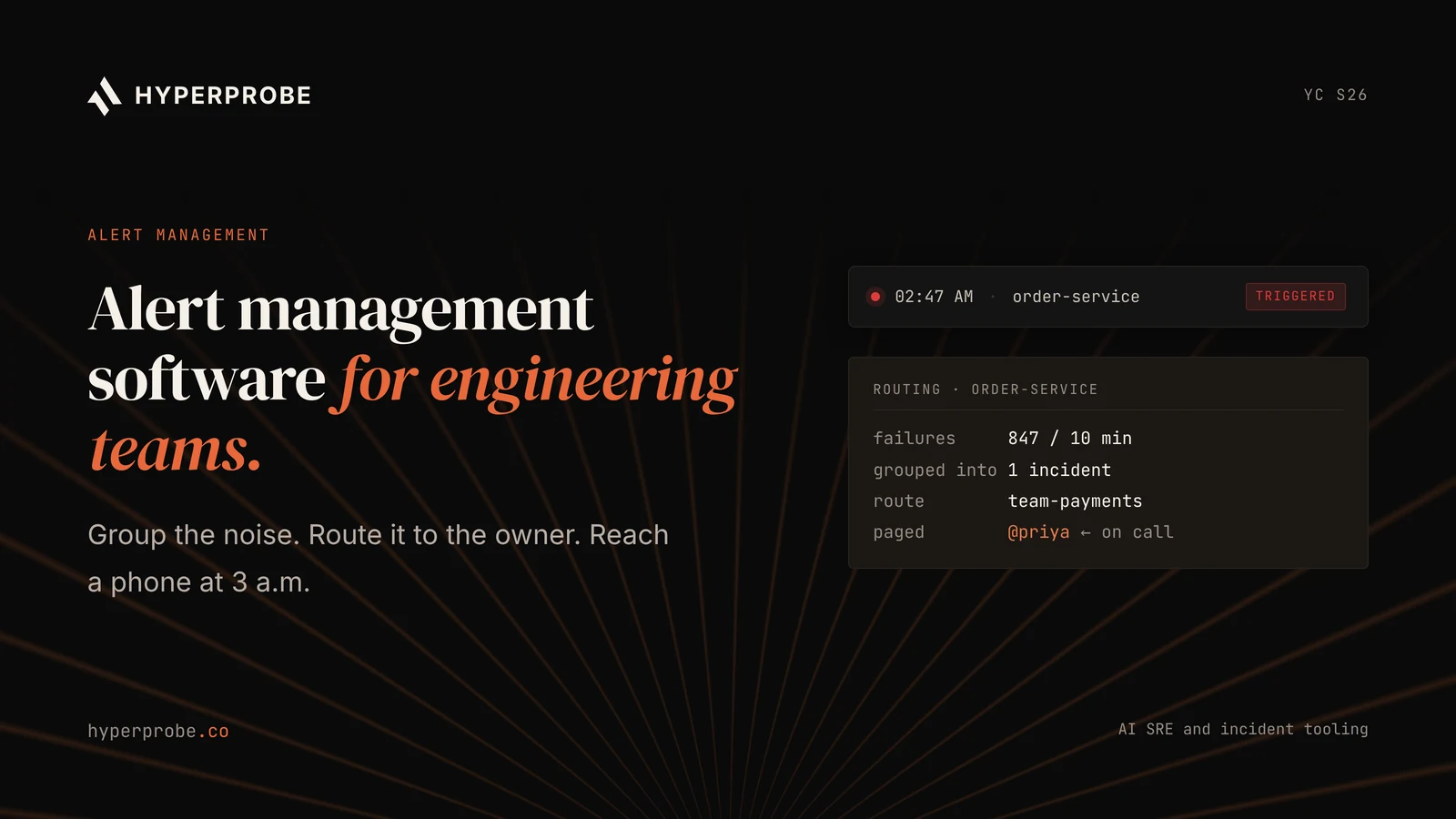
Alert management software is the system that turns monitoring alerts into one page for the right person. It receives alerts from tools such as Datadog, Grafana or Sentry, removes duplicates, groups related alerts, routes them to the owning team and escalates until someone acknowledges.
The category sits between detection and response. Monitoring tools decide that something is wrong. Alert management decides who hears about it and how. Incident management, which many of the same vendors sell, takes over after the acknowledgement.
The companion roundup of alert management software for engineering teams compares eight tools feature by feature. This guide covers how to decide between them.
Which requirements come first?
The requirements that come first are the ones that cause a missed page when they fail. The list below orders them by that risk, with the evidence each one needs.
- Notification delivery. Push, SMS and voice reach responders in every country where they live. Evidence: delivery times from a trial, and the vendor's public status history.
- Integrations with current monitors. Native connectors exist for every tool that raises alerts today. Evidence: a working integration for each source during the trial.
- Routing and escalation. Rules route on service and payload fields and escalate across tiers. Evidence: replayed alerts reach the owning team on the first try.
- Grouping and deduplication. Repeated and related alerts become one incident. Evidence: pages per real incident on 30 days of replayed alerts.
- Schedules. Layered rotations, overrides and time zone handoffs match how the team works. Evidence: your current rotation built in the tool without workarounds.
- Security and access. Single sign-on, user provisioning through SCIM (System for Cross-domain Identity Management) and an audit log. Evidence: the plan tier where each feature is available.
Features beyond this list, such as AI summaries or built-in status pages, are worth paying for only after the first six pass.
Should alerting and response be one tool?
Alerting and response should sit in one tool when the same people page and run incidents, and in separate tools when they do not. The choice changes the seat count, which often moves the bill as much as the list price.
One tool suits teams where every on-call engineer also runs the incidents they are paged for. The alert arrives with its context already attached to the incident, and there is one contract, one user directory and one audit log. incident.io, PagerDuty, Grafana IRM and Better Stack all package alerting and response together, though some still bill on-call as an add-on.
Separate tools suit organizations where a central operations team handles paging and many product teams join incidents only occasionally. Paying a full incident seat for every occasional participant is expensive. A pager for the rotation and a lighter tool, or a ticketing system, for everyone else can cost less.
Two signals point to one tool. The first is a small gap between the on-call roster and the incident participant list. The second is a team that already runs incidents in Slack or Microsoft Teams and wants the alert to open the channel.
Two signals point to separate tools. The first is an existing investment in an ITSM platform, such as ServiceNow or Jira Service Management, that already owns the incident record. The second is alert volume high enough to need a correlation layer, such as BigPanda, in front of the pager.
Whichever shape you choose, write it down before the trial. It decides which vendors make the shortlist and how each one should quote.
How is alert management software priced?
Alert management software is priced per person in almost every case, but vendors define the person differently. The table below lists the common pricing models, the vendors that use them and what drives the bill.
| Pricing model | Vendors using it (examples) | What raises the bill |
|---|---|---|
| Per user | PagerDuty, Zenduty, ilert | Every user with a seat, whether or not they carry the pager |
| Per user plus on-call add-on | incident.io | Base seats for all users, plus an add-on for people on a rotation |
| Per product seat | Rootly, Datadog | A separate seat for each product, such as on-call and incident response |
| Per active user | Grafana IRM | Anyone listed in a schedule or who acts on an alert in the month |
| Per responder | Better Stack, FireHydrant | People who receive pages, with free read-only members |
| Volume-based | BigPanda | Event or data volume, quoted by sales |
The list entry prices, as published in November 2026, show the spread. PagerDuty Professional is $21 per user per month on annual billing. incident.io Team is $15 per user plus $10 per on-call user. Rootly On-Call is $20 per user. Better Stack is $29 per responder. Zenduty Starter is $5 per user. Grafana IRM Pro is $20 per active user plus a $19 platform fee.
A low entry price can carry tight limits. Zenduty Starter caps free calls and texts per user and limits teams to five users. Grafana counts schedule membership as activity. Ask each vendor for the definition of a billable user in writing.
What does the total cost include?
The total cost includes the seat price plus every add-on the team will need within the contract term. The list below names the lines that most often appear after the first quote.
- Noise reduction. PagerDuty sells AIOps separately from seats. BigPanda is a separate product altogether.
- AI features. Datadog bills AI from a credit pool that starts at $500 per month. Rootly's AI SRE and PagerDuty's AI agents are priced by quote.
- Status pages. Several vendors sell public status pages as an add-on below the enterprise tier.
- Phone and SMS. Some tiers cap notifications per user and bill overages.
- Live call routing. A phone number that rings the on-call engineer is an add-on or a higher-tier feature on several tools.
- Single sign-on and SCIM. These often sit on the business or enterprise tier, which can force a tier upgrade for security reasons alone.
- Migration work. Rebuilding routing rules, schedules and integrations takes engineering hours that never appear on the invoice.
A worked example shows how these lines combine. Take a team of 25 engineers, 8 of them on the on-call rotation, on annual billing at list price.
| Option | Calculation | Seats per month | Before add-ons |
|---|---|---|---|
| PagerDuty Professional | 25 users at $21 | $525 | AIOps, status page and AI extra |
| incident.io Team | 25 users at $15, plus 8 on-call at $10 | $455 | Status page and AI included per incident.io |
| Rootly | 8 On-Call seats at $20, plus 25 Incident Response seats at $20 | $660 | AI SRE extra |
| Better Stack | 8 responders at $29 | $232 | Extra monitors and telemetry extra |
| Grafana IRM Pro | 25 active users at $20, plus $19 fee | $519 | Assumes all 25 act on alerts monthly |
The cheapest seat line in the table belongs to the tool that bills only responders. The final ranking can change once add-ons and the real count of billable users are in.
What are the risks in switching?
The main risk in switching is a missed page during the cutover. Routing rules that worked for years in one tool rarely translate one to one, and a gap of a single service with no route can leave an outage unpaged.
Run the old and new tools in parallel for at least two full rotation cycles. Send every alert to both. Compare who each tool would have paged and when. Switch the escalation off in the old tool only after the comparison shows no gaps.
The second risk is vendor change. In two years, Atlassian announced the end of Opsgenie, Freshworks bought FireHydrant, SolarWinds bought Squadcast, and Grafana archived its open source OnCall. Any of these events forces a migration on someone else's timeline. A contract should cover data export format, notice periods for end of life and a price cap at renewal.
The third risk applies to Opsgenie customers in particular. Atlassian ends Opsgenie support on April 5, 2027, and unmigrated data is deleted that day. Teams that use Atlassian's migration tool see Opsgenie switch off 120 days after the migration date, which can land months before the deadline. Plan the parallel run inside that window.
How does it fit your current stack?
Alert management fits as the routing layer between your monitors and your responders, so the integration list matters more than any single feature. Datadog, Honeycomb, Grafana and Sentry raise the alerts. The alert tool groups and routes them. Responders then move to the tools that explain the failure.
That last step is where diagnosis happens. HyperProbe's analysis of where backend teams lose hours in a production incident breaks down the stages that follow the page.
HyperProbe is an AI on-call agent for live production debugging, built on dynamic instrumentation. After the page, HyperProbe places a read-only probe on the suspect line in the running service and captures variable state. Read-only probes do not pause production, change source code or require a redeploy. Pricing is per service, with unlimited probes and captures on every tier, so the cost does not rise with alert count or headcount.
HyperProbe does not page or route alerts. It complements the alert tool you choose. The guide to inspecting a live production variable without adding a log line shows that step in practice.
How do you run a fair trial?
Run a fair trial by giving every shortlisted tool the same alert history, the same roster and the same success criteria. The steps below keep the comparison honest.
- Export 30 days of alerts from your current tool, including payloads and timestamps.
- Export the current on-call roster and escalation policies.
- Build the same routing rules and schedules in each candidate tool.
- Replay the 30 days of alerts through each tool, or send live alerts to all of them in parallel.
- Count pages per real incident, first-try routing accuracy and time to second-tier escalation.
- Test notification delivery from each country where responders live, at night local time.
- Ask each vendor to quote the same roster file with every add-on the team needs for three years.
Two weeks is a reasonable target for steps 3 to 6. The vendor that cannot support a replay or a parallel run during a trial will be harder to work with during a migration.
Which questions should the contract answer?
The contract should answer six questions that decide whether the price and the product hold for the full term. The table below lists each question and the evidence to request before signing.
| Question | Evidence to request |
|---|---|
| Who is a billable user? | The written definition, applied to your roster file |
| What will renewal cost? | A price cap or fixed uplift for each renewal in the term |
| Which add-ons will we need? | A three-year quote including AI, noise reduction, status pages and SSO |
| How do we leave? | Data export format, export tooling and notice period for end of life |
| What is the delivery commitment? | Notification delivery SLA and a link to historical status |
| Where is our data hosted? | Hosting regions, subprocessors and the audit log retention period |
A vendor that answers all six in writing is easier to budget for than a cheaper vendor that answers three.
Buy for the roster, not the headcount
The right alert management software is the one that pages the right person for your real alert history, at a total cost built on your real roster. Price the add-ons, test the routing on your own data and write the exit terms into the contract.
Then plan for the work after the page. HyperProbe captures live code-level evidence with read-only probes, priced per service. Book a HyperProbe walkthrough to see how it fits after the alert tool you choose.
Frequently asked questions
How do I choose alert management software?
Start with the requirements that cause a missed page when they fail: notification delivery, integrations, routing and escalation. Then replay 30 days of real alerts through each shortlisted tool, count pages per incident and first-try routing accuracy, and ask every vendor to quote your actual roster with all add-ons for three years.
How much does alert management software cost?
List prices in November 2026 range from $5 per user per month for Zenduty Starter to $41 per user per month for PagerDuty Business on annual billing. Most mid-tier options sit between $15 and $29 per user or responder. Add-ons for noise reduction, AI, status pages and single sign-on often raise the total well above the seat price.
What counts as a billable user in alert management software?
It depends on the vendor. Some bill every user with a seat, some bill only responders who receive pages, and Grafana IRM bills anyone listed in a schedule or who acts on an alert in the month. Ask each vendor for the written definition, and ask them to apply it to your actual roster file.
How long does it take to switch alert management tools?
Building rules and schedules in a new tool takes days for a small team and weeks for a large one. Plan a parallel run of at least two full rotation cycles, with alerts sent to both tools, before switching off escalation in the old one. Opsgenie customers need to finish before April 5, 2027.
Should alerting and incident response come from one vendor?
One vendor suits teams where the same engineers page and run incidents, because the alert context flows into the incident and there is one contract. Separate tools suit organizations where a central team handles paging and many others join incidents occasionally, because full incident seats for every participant cost more.
Where does HyperProbe fit with alert management software?
HyperProbe works after the page. It is an AI on-call agent for live production debugging that places read-only probes in running code and captures variable state without a redeploy. HyperProbe does not route or send alerts. Pricing is per service, with unlimited probes and captures on every tier.
Written by
Founder
Shailendra Singh is the founder and CEO of HyperProbe (YC S26), an AI on-call agent that debugs production incidents by capturing evidence directly from running services. He has over a decade of experience building and running production systems, starting at Applied Materials before moving into startup operating and engineering leadership roles, including at a company that later became a unicorn. He founded and ran Transporter.city from 2017 to 2021, then spent three years building HyperTest before founding HyperProbe with Karan Raina. He writes about production debugging and incident response.
RELATED READS