Best incident postmortem software for on-call engineers

Key takeaways
- HyperProbe is the pick for teams that need the root cause in a postmortem backed by captured runtime evidence, and it pairs with any drafting tool on this list.
- incident.io (4.8 on G2) and Rootly (4.7 on G2) lead for Slack-first teams that want an AI first draft of the review.
- FireHydrant suits teams that need different review templates per severity, while Better Stack is the budget pick for small teams.
- PagerDuty retires its Jeli review UI on December 22, 2026, and Opsgenie reaches end of support on April 5, 2027, so check the roadmap before you commit.
The postmortem usually lands on the engineer who held the pager. After a short night and a merged fix, they now have to rebuild a timeline from Slack scrollback and memory, then write a root cause section that the rest of the team will act on.
Incident postmortem software is a tool that collects an incident's timeline, responders, chat and follow-up work, then turns it into a structured review your team can learn from. The Google SRE book describes the document itself as a written record of an incident, its impact, the actions taken to resolve it, the root cause and the follow-up actions that prevent a repeat.
This guide covers eight tools worth evaluating in late 2026. Each entry has an overview, pros, cons, pricing and its G2 and Capterra ratings, followed by a comparison table and a short buying guide.
What incident postmortem software should do
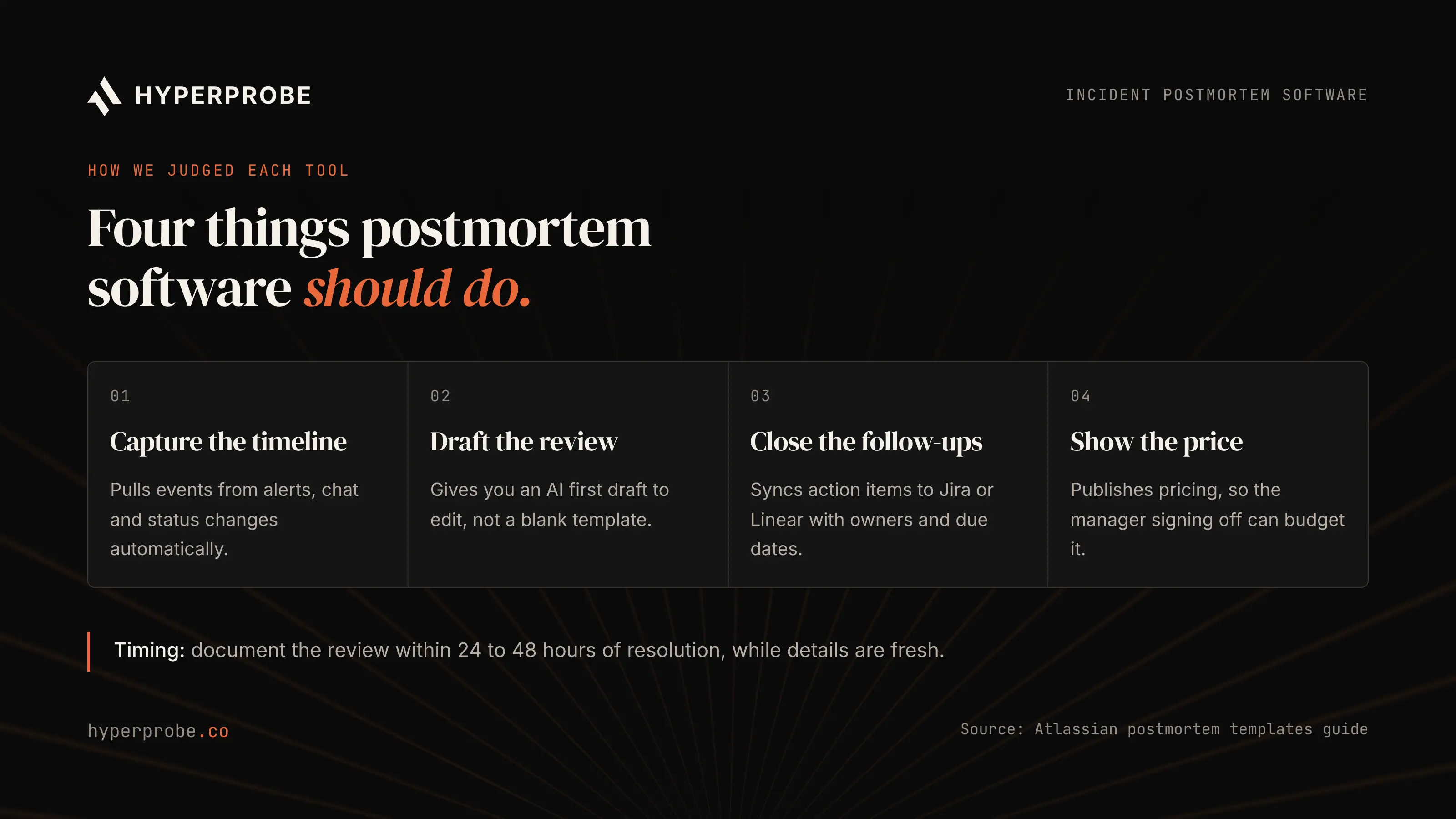
A postmortem tool earns its seat by removing the clerical work so the review happens while details are fresh. Atlassian's postmortem template guide recommends documenting the review within 24 to 48 hours of resolution.
We judged each tool on public docs, pricing pages and review sites as of November 2026. The criteria were automatic timeline capture from alerts and chat, an AI first draft you can edit, action items that sync to Jira or Linear with owners and due dates, and public pricing. We added a fifth criterion the other lists skip, which is whether the root cause section rests on evidence or on inference. A postmortem whose cause is a guess tends to produce the action item "add more logging," and the incident comes back.
The 8 best incident postmortem software tools
Ratings are the overall scores shown on each vendor's G2 and Capterra profiles in November 2026, and pricing comes from each vendor's published pages. Both can change, so confirm before you buy.
1. HyperProbe
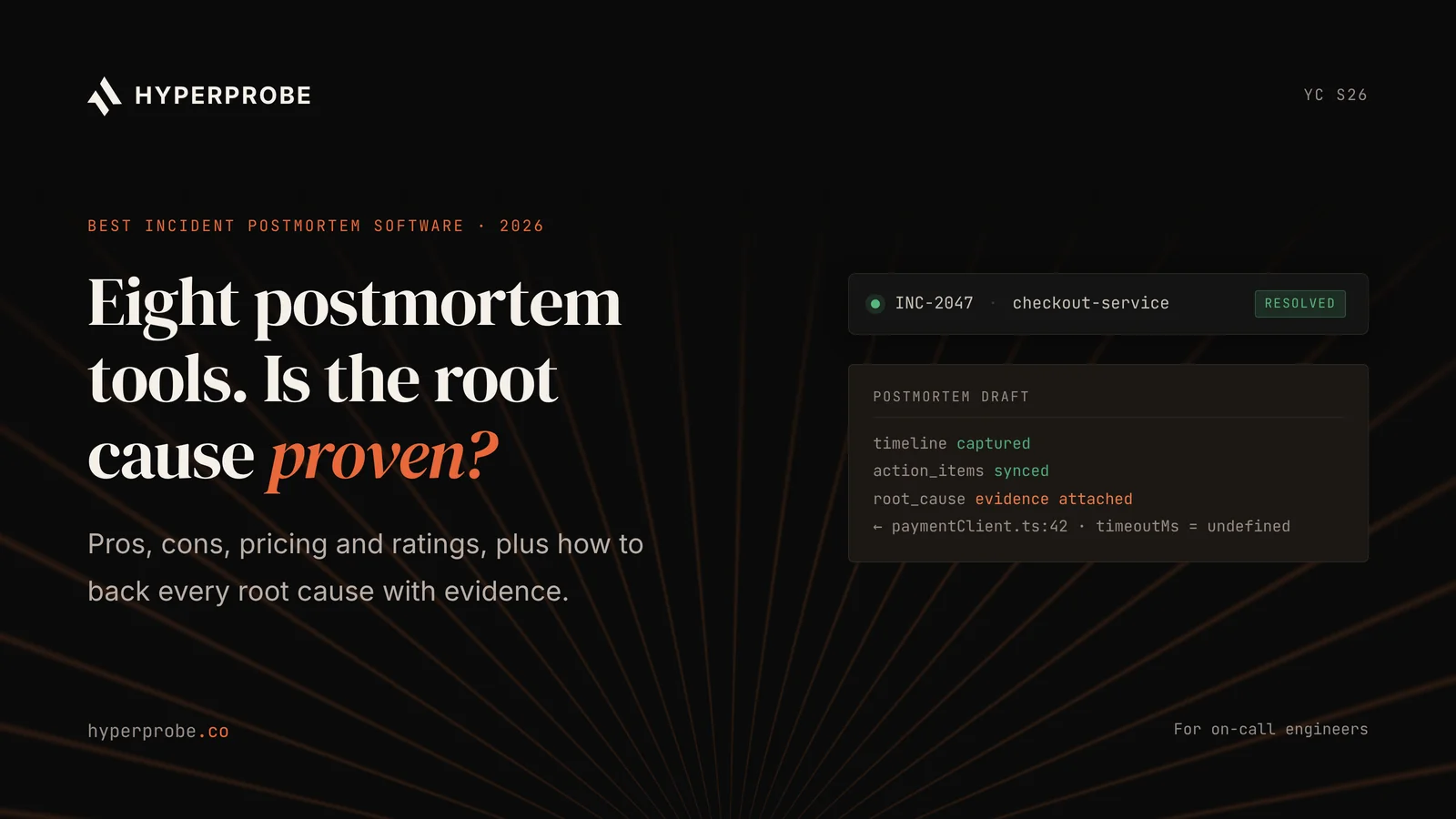
HyperProbe is an AI on-call agent that confirms the root cause of a production incident with evidence captured from the running service. It takes the page from PagerDuty, Datadog or Slack and reads the logs and traces you already collect. When those do not explain the failure, it places a read-only probe on the suspect line of code. The next time that line executes on live traffic, the probe captures the exact variable state, and HyperProbe checks its diagnosis against that capture before handing it back.
For a postmortem, that changes the most important section of the document. The drafting tools below summarize what responders saw during the incident. HyperProbe adds the value nobody logged, such as the stale config on one pod or the unexpected status field from one partner, so the root cause section cites a captured value instead of a likely cause. Every probe placement and capture is written to an immutable audit log, which gives the review a verifiable evidence trail. Engineers can also place probes from Cursor, Claude Code or VS Code through the MCP server and extension.
We list it first because a postmortem is only as useful as its root cause. HyperProbe does not replace your review document. It makes the review worth writing, and it works alongside incident.io, Rootly, FireHydrant or plain Confluence.
Best for: evidence-backed root cause analysis on recurring incidents, for teams whose postmortems keep ending with "root cause unclear."
Pros
- Root cause sections cite captured runtime values, confirmed against evidence before delivery.
- Read-only probes need no redeploy and do not pause the service. Measured overhead is under 1% CPU at 3,000 requests per second, with about 50MB of memory.
- PII redaction runs by default at the agent, and an immutable audit log records every probe and capture.
- Pricing is per service, with unlimited probes and captures on every plan, so no one rations probes during an incident.
Cons
- It does not draft the timeline or the review document, so you keep a drafting tool or template for that part.
- A probe captures a line the next time it runs, so it cannot reconstruct a one-off incident that has already ended. It catches the condition when it recurs.
- Supported runtimes today are Node.js, TypeScript, Java, Kotlin and Python. Go and Ruby services cannot be instrumented yet.
Pricing: Free for one service, forever, with 7 days of capture history. Professional costs $99 per service per month, or $79 billed annually, with a three-service minimum. Enterprise adds self-hosted or private VPC deployment, approval gates and custom redaction on an annual contract. Your first real incident with HyperProbe is free.
Ratings: HyperProbe is newer than the other tools here, so we don't quote a review-site score. The free tier is the fastest way to judge it on your own incident.
2. incident.io
incident.io is a Slack-first incident platform that covers on-call, response, status pages and post-incident reviews. Its post-mortem feature drafts the document from the incident timeline, Slack messages, linked PRs and custom fields. Scribe joins the incident call, transcribes it and pulls key takeaways into the doc, so the person writing the review does not have to replay the recording.
Once you edit the draft, an AI review pass checks it for factual accuracy, completeness, structure and learning value, with inline suggestions you can accept or dismiss. Finished reviews export to Confluence, Notion, Google Docs or SharePoint. G2 reviewers praise the Slack experience and the support team, and its G2 comparison with PagerDuty shows higher scores for ease of setup and quality of support.
Best for: Slack-first engineering teams that want the review drafted for them.
Pros
- Postmortem drafts are built from the timeline, Slack, PRs and call transcripts.
- The AI review pass flags gaps before the document is shared.
- Reviewers on G2 consistently rate support and ease of use highly.
Cons
- AI drafting is limited to the Pro and Enterprise plans.
- Some G2 reviewers report a learning curve from the depth of configuration, and the Insights dashboard offers limited custom reporting.
- Scribe transcription is English only.
- The draft is built from what responders already saw, so a cause that never reached your logs stays a hypothesis.
Pricing: The incident.io pricing page lists a free Basic tier, Team at $19 per user per month ($15 billed annually) and Pro at $25 per user per month. On-call is billed separately on both paid plans.
Ratings: G2 4.8/5 from 238 reviews. incident.io had no rated reviews on Capterra at the time of writing.
3. Rootly
Rootly is an incident management platform built around Slack, with on-call, workflows and retrospectives in one product. Its retrospectives generate a first draft covering the timeline, summary, root cause analysis and follow-ups, built from incident data, chats, alerts, commits and call transcripts.
Rootly's strength is follow-through. Action items push straight into Jira or Linear, so follow-ups land in the backlog where engineers already plan work. Custom AI prompts and per-team templates let a platform group keep reviews consistent across many services, and finished retros export to Confluence, Notion, Google Docs or SharePoint. Reviewers on G2 and Capterra frequently mention the Terraform support and the flexibility of its workflow engine.
Best for: teams whose main pain is postmortem action items that never close.
Pros
- Action items sync to Jira and Linear with owners.
- Workflows are highly configurable, with Terraform support for teams that manage tooling as code.
- Capterra reviewers highlight responsive support and good documentation.
Cons
- G2 reviewers say the UI can feel overwhelming once configurations grow, with a learning curve around alert routing.
- Full pricing is not published, so expect a sales conversation for larger teams.
- Its AI root cause draft is inferred from incident data rather than confirmed from the running code.
Pricing: Contact sales. Rootly does not list full plan prices publicly.
Ratings: G2 4.7/5 from 211 reviews. Capterra 4.6/5 from 50 reviews.
4. FireHydrant
FireHydrant is an incident management platform known for runbooks and structured retrospectives. Its retrospective templates support custom question types, a Contributing Factors field, and runbook rules that attach the right template automatically based on incident conditions. A Sev-1 database outage and a minor UI regression do not need the same review, and FireHydrant handles that difference well.
The Draft with AI button fills each template question from the timeline and linked meeting transcripts. FireHydrant also integrates with Slack, Jira and PagerDuty, and reviewers often describe it as a calmer way to run an incident channel.
Best for: teams that need different review formats by severity or service.
Pros
- Templates attach automatically through runbook rules.
- The Contributing Factors field nudges teams past a single root cause.
- G2 reviewers praise its integrations and automation.
Cons
- The pricing page places AI retrospectives on Enterprise and caps Pro at one retrospective template.
- Reviewers mention a learning curve, multiple interfaces and a licensing model that can confuse new users.
- Per-responder pricing adds up for larger rotations.
Pricing: Free for up to 10 responders. Pro costs $25 per responder per month billed annually. Enterprise is custom.
Ratings: G2 4.5/5 from 143 reviews. Capterra 4.8/5, though from only 4 reviews.
5. Datadog Incident Management
Datadog Incident Management is the incident module inside the Datadog observability platform. It generates a postmortem in one click from the incident timeline and a template, with AI variables for a summary and customer impact. The default destination is a Datadog Notebook, so logs, traces and metric graphs stay interactive inside the review instead of turning into screenshots.
That makes it the natural choice when your telemetry already lives in Datadog. Reviewers on G2 and Capterra praise the unified view across logs, metrics and traces, and complain about how costs grow with usage.
Best for: teams whose logs, traces and metrics already sit in Datadog.
Pros
- One-click postmortems with live telemetry embedded in a Notebook.
- AI variables fill the summary and customer impact sections.
- Strong integrations across AWS, Azure and GCP.
Cons
- Datadog's own docs note that a postmortem for a private incident stored in Notebooks is readable by anyone with Notebooks read access. Send sensitive reviews to Confluence or Google Drive.
- Reviewers frequently cite cost growth and cost governance as usage scales.
- The review can only embed what Datadog collected, so values that were never logged are missing.
Pricing: The Incident Management standalone price is $30 per seat per month.
Ratings: G2 4.4/5 from 749 reviews. Capterra 4.6/5 from 373 reviews. Both scores cover the Datadog platform as a whole.
6. Jira Service Management
Jira Service Management is Atlassian's service desk and incident product. It creates post-incident reviews from the incident record, with the timeline and responders attached and action items converted into tracked Jira work. Reviews stay searchable next to the problem and change records your team already uses.
The timing matters here. Atlassian ended Opsgenie sales on June 4, 2025 and ends Opsgenie support on April 5, 2027, when unmigrated data is deleted. Teams still on Opsgenie should plan their postmortem workflow inside Jira Service Management now.
Best for: Atlassian shops and teams migrating off Opsgenie.
Pros
- Action items become Jira work items with no extra integration.
- Reviews sit beside problem and change records for ITSM teams.
- Capterra reviewers praise its configurability and automation rules.
Cons
- Reviews are template-based, with no AI first draft comparable to the dedicated tools.
- G2 reviewers report a steep learning curve and costly higher tiers.
- It can feel heavy for Slack-first engineering teams.
Pricing: Free for up to 3 agents, with paid tiers priced per agent.
Ratings: G2 4.3/5 from 1,014 reviews. Capterra 4.5/5 from 796 reviews.
7. PagerDuty
PagerDuty is the long-standing leader in paging and on-call. Jeli, which PagerDuty acquired, added a narrative builder that imports the PagerDuty timeline and Slack threads into a learning-focused review. That makes PagerDuty a reasonable choice when it already owns your paging and you want reviews built on the same alert data.
The postmortem product is in transition. According to PagerDuty's documentation, the legacy Postmortems feature left the web app on October 31, 2026, and the Jeli UI reaches end of life on December 22, 2026, with post-incident reviews moving into the main PagerDuty app.
Best for: teams already standardized on PagerDuty for paging.
Pros
- Reviews draw on the same alert and escalation data that paged the team.
- G2 reviewers rate its alert reliability and integration breadth highly.
- Mature on-call scheduling and escalation policies.
Cons
- The review workflow is changing in late 2026, so ask for a demo of the new flow before you sign.
- Capterra reviewers describe the UI as dense and escalation setup as complex.
- Per-user pricing is a common complaint as teams grow.
Pricing: Free plan available. Professional starts at $21 per user per month on the incident management pricing page.
Ratings: G2 4.5/5 from 983 reviews. Capterra 4.6/5 from 226 reviews.
8. Better Stack
Better Stack bundles uptime monitoring, logs, on-call and incident management in one product. According to its pricing page, AI post-mortems are included in incident management, and manual reviews are plain Markdown. Small teams get postmortems from the same vendor that runs their monitoring, without a large bill.
Best for: small teams that want monitoring, on-call and postmortems from one vendor.
Pros
- AI post-mortems are included rather than gated behind an enterprise tier.
- G2 reviewers praise quick setup, a clean UI and reliable alerting.
- A free plan covers basic monitoring.
Cons
- Fewer review stages and template options than the dedicated incident platforms.
- Capterra reviewers mention that paid plans get expensive as teams grow.
Pricing: The pricing page lists a responder license at $29 per month billed annually, plus $9 per responder per month for Slack and Teams incident management.
Ratings: G2 4.8/5 from 344 reviews. Capterra 4.8/5 from 37 reviews.
Incident postmortem software compared
Prices are entry list prices as of November 2026, billed annually where the vendor offers it.
| Tool | Best for | AI first draft | Evidence-backed root cause | G2 | Capterra | Entry price (per month) |
|---|---|---|---|---|---|---|
| HyperProbe | Confirmed root cause | No, supplies root cause evidence | Yes, captured runtime state | n/a | n/a | Free for 1 service, then $79 per service |
| incident.io | Slack-first teams | Yes, Pro and Enterprise | No, inferred | 4.8 | n/a | Free, Team $15, Pro $25 |
| Rootly | Follow-through on actions | Yes | No, inferred | 4.7 | 4.6 | Contact sales |
| FireHydrant | Templates by incident type | Yes, Enterprise | No, inferred | 4.5 | 4.8 | Free to 10 responders, Pro $25 |
| Datadog | Telemetry-heavy reviews | Yes, AI variables | Existing telemetry only | 4.4 | 4.6 | $30 per seat |
| Jira Service Management | Atlassian shops | No, template-based | No | 4.3 | 4.5 | Free for 3 agents |
| PagerDuty | Existing PagerDuty users | In transition | No | 4.5 | 4.6 | Free, Professional $21 per user |
| Better Stack | Small teams | Yes | No, inferred | 4.8 | 4.8 | $29 per responder, plus $9 |
Why evidence beats a better draft
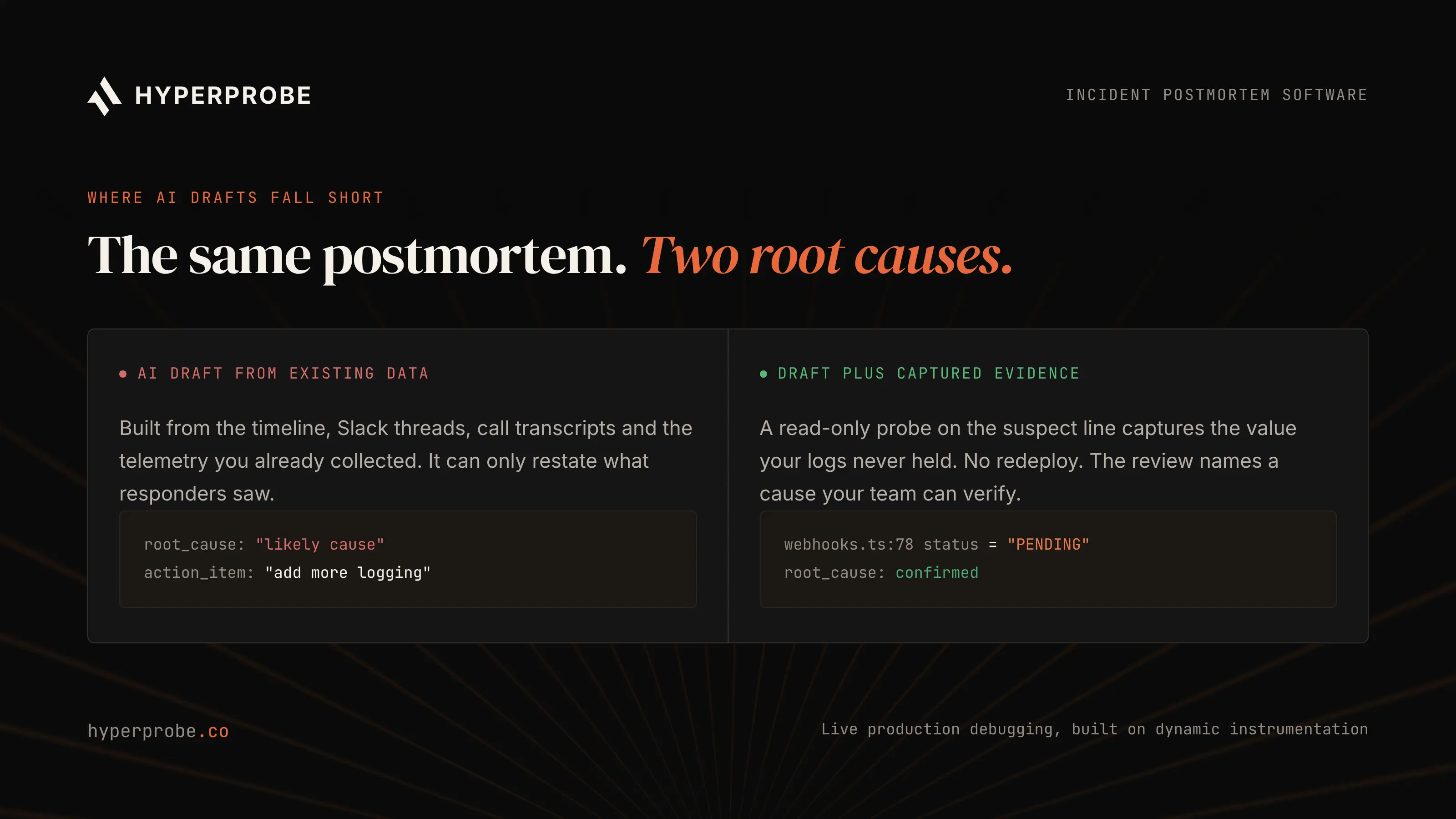
Every AI draft above is built from the same inputs: the incident timeline, Slack threads, call transcripts and the telemetry you already collected. That makes the draft fast, and it also caps the root cause section at what responders could see during the incident.
The hard incidents are the ones where logs and traces never recorded the value that mattered. In those reviews the cause is written as "likely," the action item says "add more logging," and the same failure has a good chance of returning. Closing that gap takes captured evidence, which is why we pair HyperProbe with whichever drafting tool a team already likes. Our guide to reducing MTTR on a backend service shows where that evidence shortens diagnosis, and our piece on AI agents in production covers the security questions a lead will ask first.
How to choose for your team
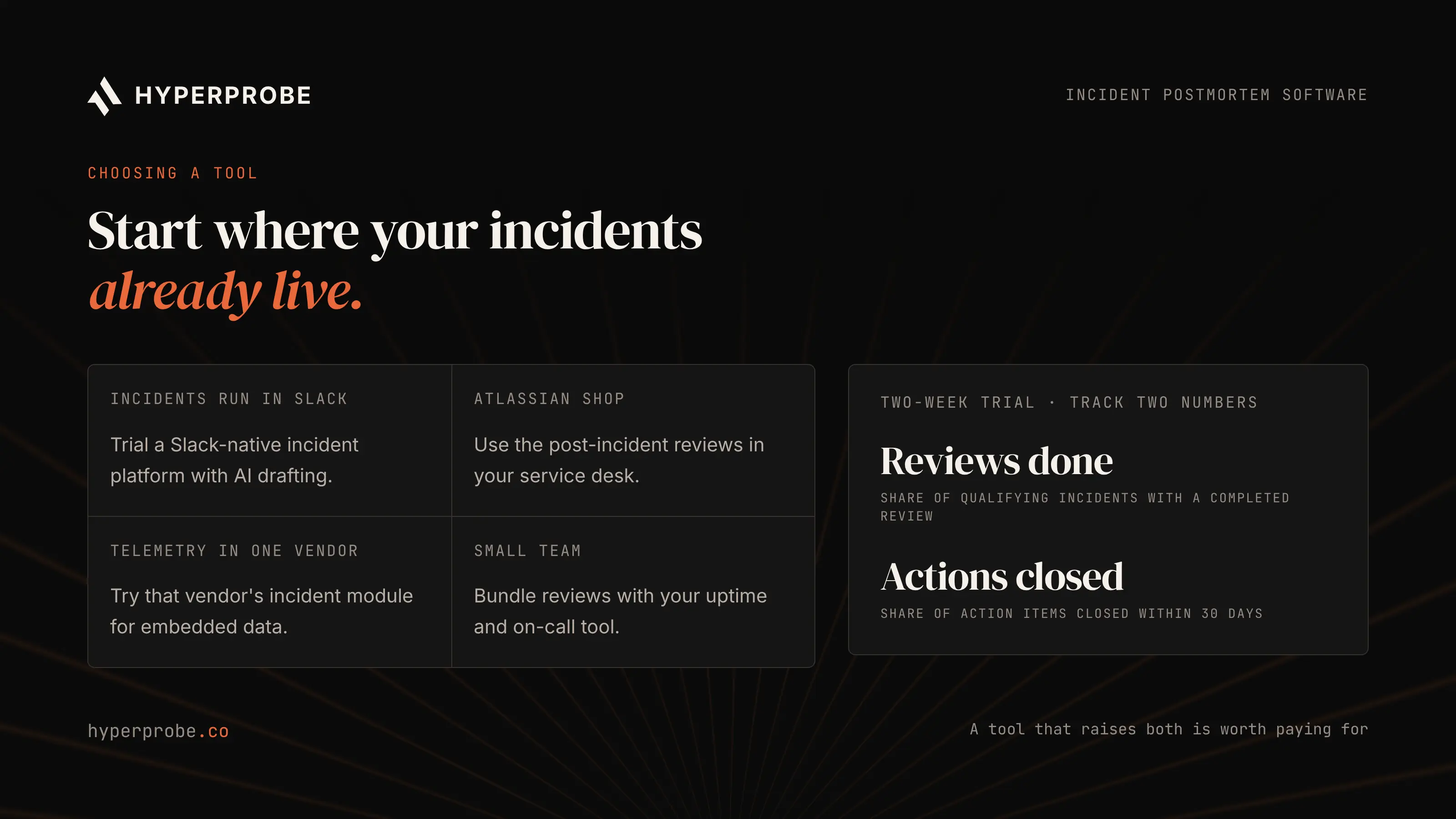
For drafting, incident.io and Rootly lead the post-incident review software here, since both build an AI postmortem from the timeline, Slack and call transcripts. Beyond that, start with where your incidents already live. Atlassian shops should look at Jira Service Management, and Datadog-centric teams will get the richest embedded telemetry from Datadog. Paging and alert routing is a separate decision, covered in our guide to choosing alert management software. Whichever drafting tool you pick, add HyperProbe on the services that page you most, so the root cause in each review is confirmed rather than inferred.
Engineering managers should run a two-week trial against real incidents and track two numbers: the share of qualifying incidents that get a completed review within 48 hours, and the share of action items closed within 30 days. A third number worth tracking is how many reviews name a root cause the team could verify.
Make the next postmortem cheaper
The right incident postmortem software takes the timeline and drafting off the on-call engineer's plate. The review is still only as good as its root cause. Pair your postmortem tool with evidence captured from the running service, and the next review will name a cause your team can verify. HyperProbe's free tier covers one service with unlimited probes and captures, and your first real incident is on us. Book a walkthrough and run it on your next incident.
Frequently asked questions
What is the best incident postmortem software?
HyperProbe is the strongest pick when the root cause has to be confirmed with evidence, because it captures runtime state from the running service with read-only probes. For drafting the review itself, incident.io (4.8 on G2) and Rootly (4.7 on G2) lead for Slack-first teams, and many teams pair one of them with HyperProbe.
What is incident postmortem software?
Incident postmortem software collects an incident's timeline, responders, chat history and follow-up work, then turns it into a structured written review. Tools such as incident.io, Rootly and FireHydrant also generate an AI first draft that the team edits, and Rootly pushes action items into Jira or Linear so follow-ups have owners and due dates.
What should an incident postmortem include?
A postmortem should include a timestamped timeline, the customer and business impact, the actions taken to mitigate the incident, the root cause and contributing factors, and follow-up action items with owners and due dates. The Google SRE book describes the postmortem as a written record of these elements, kept so the team can prevent a repeat.
When should a postmortem be written?
Atlassian recommends documenting the postmortem within 24 to 48 hours of resolution, while details are still fresh. Its Jira Service Management guidance says to draft the review within two days of the incident. Writing it later means details from chat scrollback and responder memory get lost, and the timeline becomes harder to rebuild accurately.
What is a blameless postmortem?
A blameless postmortem examines the systems, processes and decisions that led to an incident without assigning fault to individuals. The format encourages engineers to report what they saw and did during the incident, including mistakes, which gives the team an accurate record. Atlassian and Google both use the blameless format for their own reviews.
Can AI write the whole postmortem?
AI can draft the timeline, summary and impact sections from incident data. The root cause section still needs evidence, because an AI draft can only summarize the logs, traces and chat the team already had during the incident. HyperProbe captures runtime values from the running service with read-only probes, so that section can cite confirmed evidence.
Written by
Founder
Shailendra Singh is the founder and CEO of HyperProbe (YC S26), an AI on-call agent that debugs production incidents by capturing evidence directly from running services. He has over a decade of experience building and running production systems, starting at Applied Materials before moving into startup operating and engineering leadership roles, including at a company that later became a unicorn. He founded and ran Transporter.city from 2017 to 2021, then spent three years building HyperTest before founding HyperProbe with Karan Raina. He writes about production debugging and incident response.
RELATED READS