How to Reduce Mean Time to Resolution on a Backend Service?


Quick Overview
To reduce MTTR on a backend service, measure diagnosis separately from detection and avoid redeploys made only to collect evidence. When logs and traces do not contain the value that explains a failure, capture production state on the next execution, confirm the root cause, then ship the fix.
Mean time to resolution (MTTR) is the average time from the start of an incident to its resolution, calculated as total resolution time divided by the number of incidents. Most teams can detect and page on a backend incident quickly. The delay starts after the alert, when the evidence needed to explain it was never recorded. This illustrative incident shows where that time goes.
- 02:14. An alert fires on rising checkout failures for a small set of users.
- 02:25. The on-call engineer acknowledges. Logs show the failing requests but not the value behind them. Nothing was deployed in two days, so there is nothing to roll back.
- 02:40. The first redeploy adds a log line. It goes live at 03:20 and captures the wrong variable.
- 03:35. The second redeploy goes out. Two senior engineers join at 04:20.
- 04:35. The third redeploy goes out.
- 05:30. The failing request recurs, the log shows the value, and the root cause is confirmed.
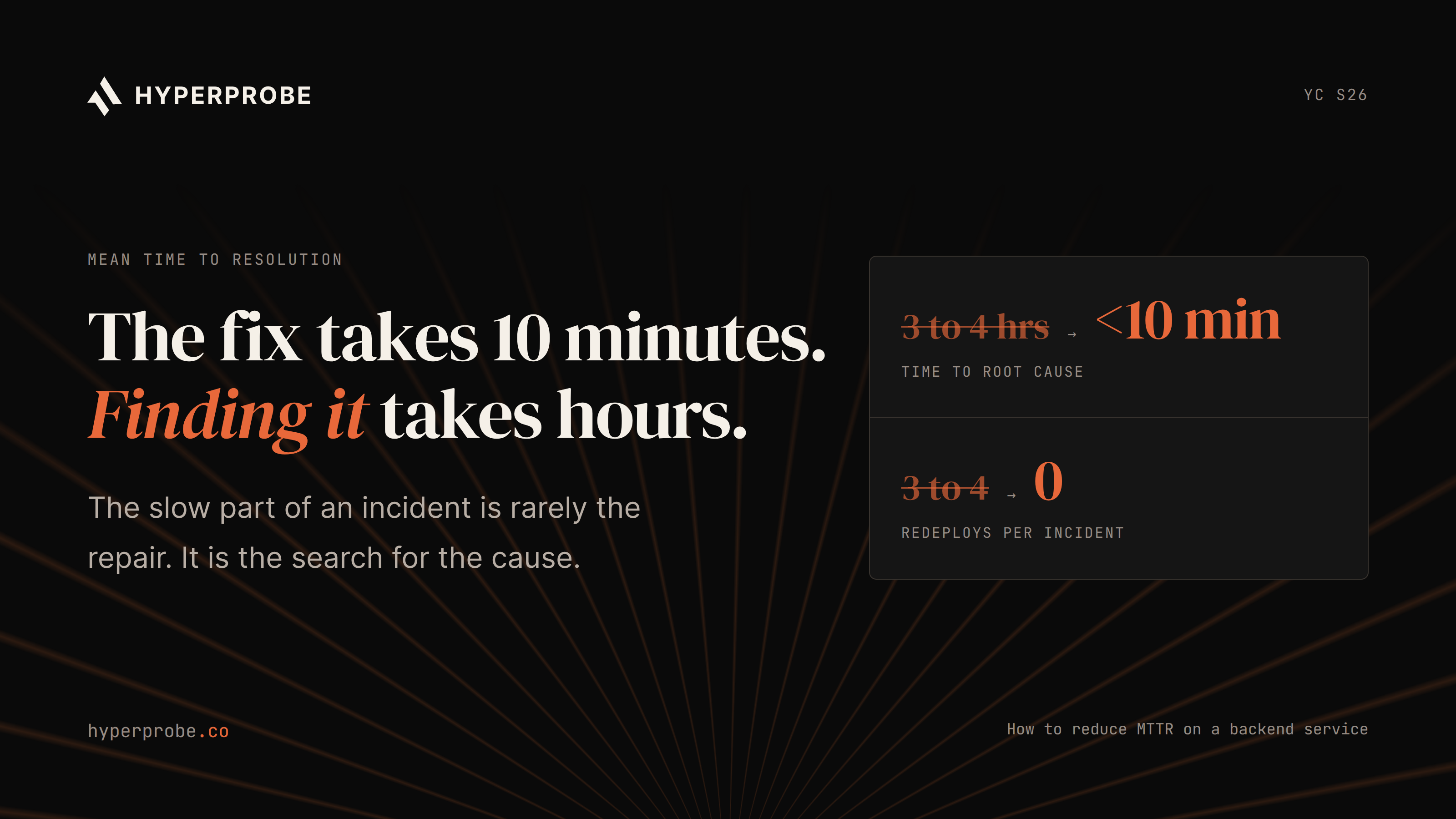
Acknowledging took 11 minutes. Finding the cause took over three hours, three production deploys and two senior engineers. Rollback never applied, because nothing had shipped.
Is your MTTR measuring diagnosis at all?
The R can mean repair, recovery, resolution or restore, and each stops the clock at a different point. If yours stops at "service restored," a mitigation can close the incident while the cause is still unknown, and a restore without a cause tends to come back.
A diagnosis-aware scorecard records separate timestamps for detection, acknowledgement, root-cause confirmation, mitigation and permanent resolution. This makes the delay visible without treating diagnosis and recovery as the same measure. DORA's metrics history notes that the metric once called MTTR was renamed failed deployment recovery time, which counts only deploy-caused failures, so the 02:14 incident sits outside it. A few long incidents can pull the mean up, so report the median beside it.
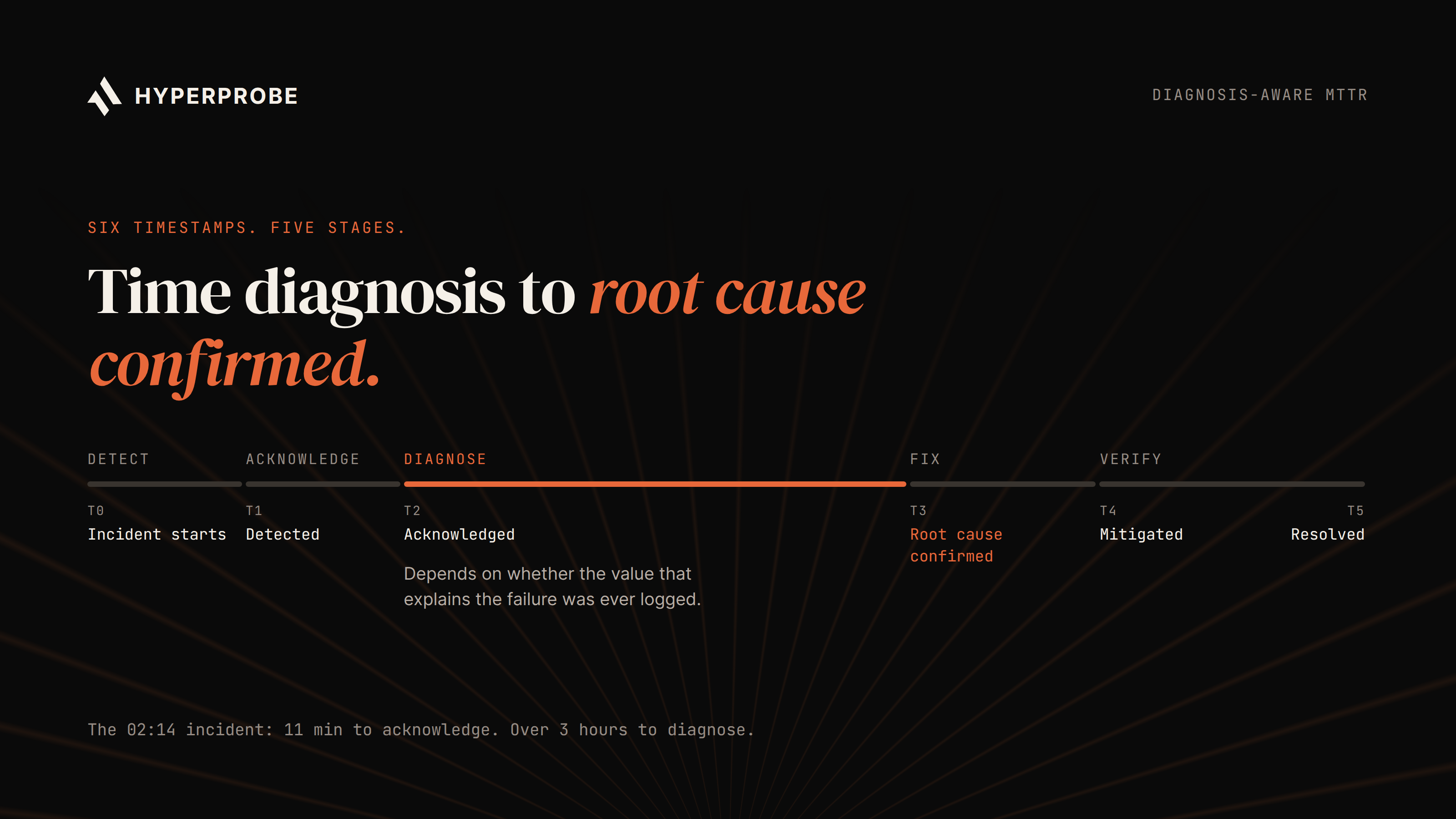
Alt text: Incident timeline showing six timestamps, from incident start through detection, acknowledgement, root cause confirmed, mitigation and permanent resolution, with the gap between acknowledgement and root cause confirmed marked as diagnosis time.
| Stage | What sets its length | Predictable? |
|---|---|---|
| Detect | Alert coverage and thresholds | Yes, once tuned |
| Acknowledge | Paging rules and ownership | Yes |
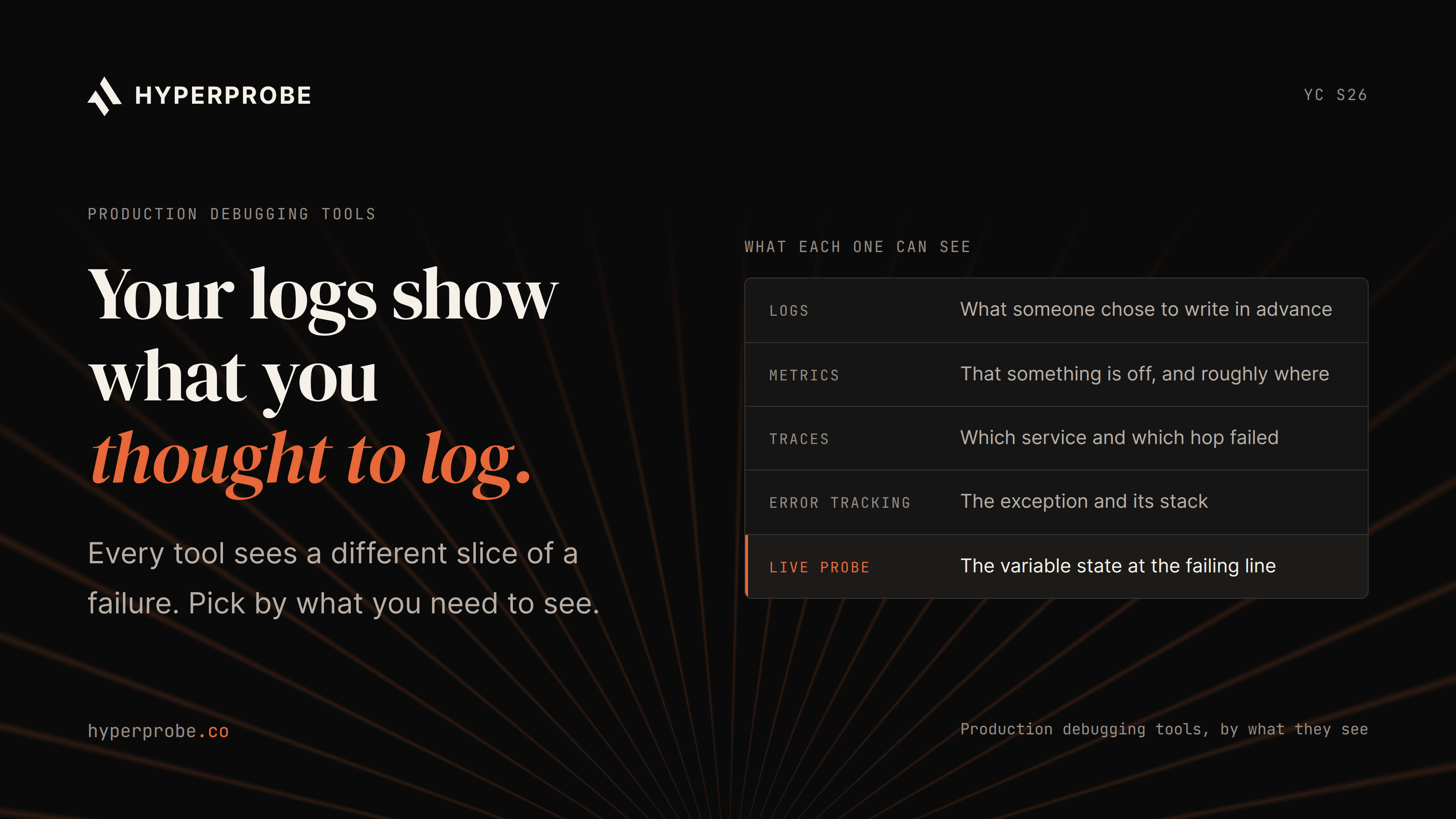
| Diagnose | Whether the needed value already exists in logs and traces | No |
| Fix | Rollback, feature flag or hotfix path | Mostly |
| Verify | Health checks and error rates | Yes |
Diagnosis is the only stage that depends on a logging decision made months before the incident. To size it, pull your last 10 postmortems and add one timestamp to each: root cause confirmed. The gap from acknowledgement to that timestamp, and how much it swings, is your diagnosis problem.
Why does diagnosis take hours?
When the explaining value was never logged, the team ships code to collect it:
- Add a log line where the cause might be.
- Open a PR, get it reviewed, build and deploy.
- Wait for the failure to recur.
- Read the log. If it captured the wrong value, start again.
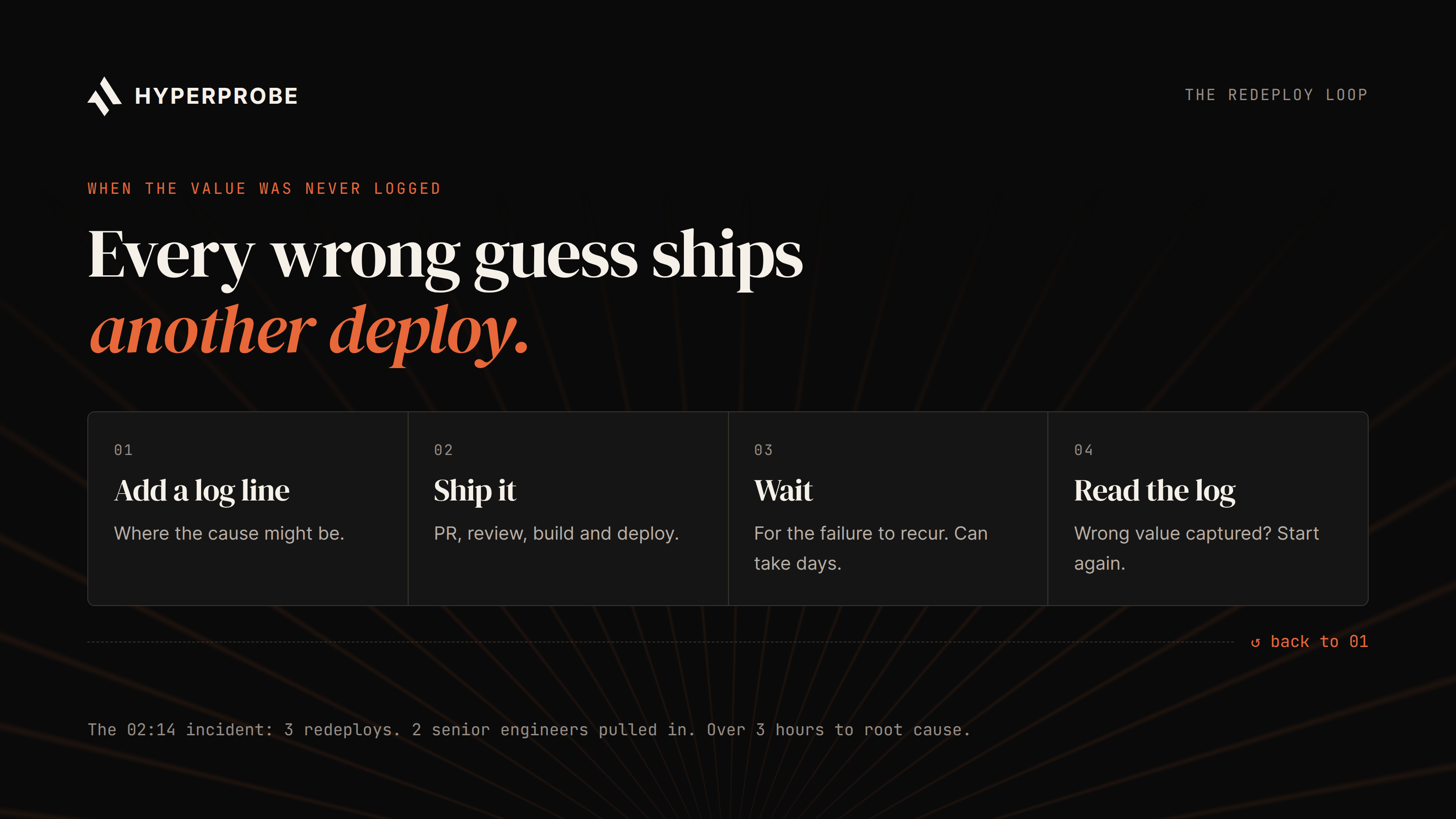
Alt text: The redeploy loop used to collect missing evidence: add a log line, open a PR and deploy, wait for the failure to recur, read the log, and repeat if the wrong value was captured.
This loop can take several cycles. The recurrence wait is often the longest part, and for a one-user failure it can run for days.
Each cycle costs you on three lines you own:
- MTTR. Every wrong guess adds a full build, deploy and recurrence wait.
- Change risk. Every cycle is a production change made under pressure, only to read data.
- Roadmap. The people guessing are usually your most senior engineers. The 02:14 incident cost over five engineer-hours overnight: about three hours of on-call time plus two seniors for 70 minutes each.
Existing telemetry has no answer for:
- A failure that affects one user, with data nobody can rebuild locally.
- A partner API response whose body was never logged.
- A failure caused by database state that no log line recorded.
- A race condition that appears only under real production concurrency.
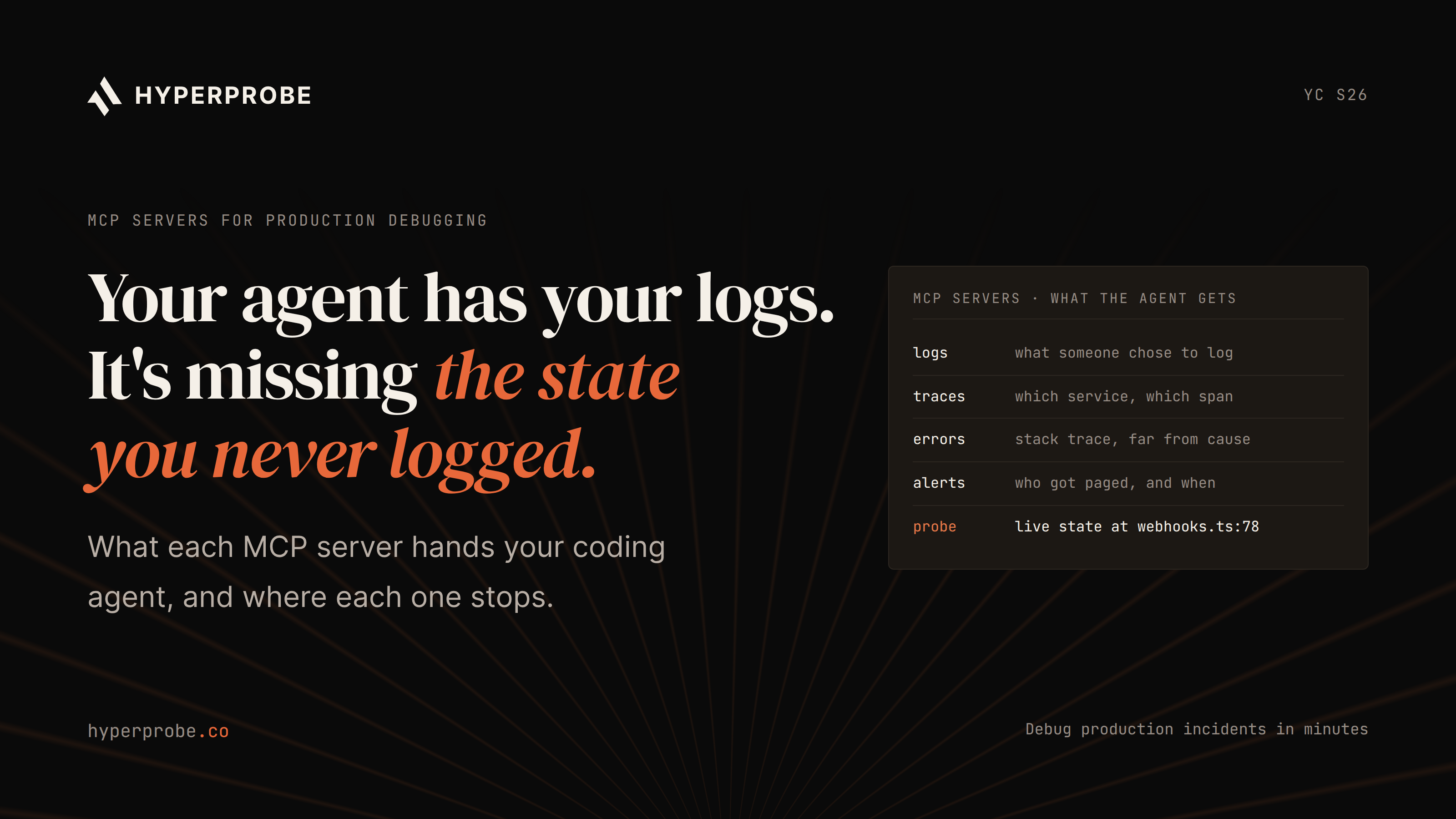
Tracing shows which services a request passed through, but by default not the response body or local variables that explain why a value was wrong. For the boundary between ongoing observability and incident investigation, see our guide to AI SRE vs. APM.
Which failures never show up in MTTR?
Failures that never page anyone never enter MTTR. A silent 200 returns success with the wrong data, so nothing reaches the error tracker. A slide in payment success can run for a week with no alert attached.
Track a second number for this class: time from first report to root cause, starting at the first customer ticket, support escalation or metric anomaly. If MTTR falls each quarter while this number rises, silent failures are growing while the dashboard improves.
How can engineering teams reduce MTTR?
A faster backend incident response starts with the operating basics, then removes the evidence gaps that make diagnosis slow.
- Lock the definition and baseline. Write down when the clock starts and stops, and record last quarter's median. Without a baseline, an improvement and a quiet quarter look identical.
- Keep the table stakes current. Named owners, severity-based paging and rehearsed rollbacks restore service while diagnosis continues, but did nothing for the 02:14 incident.
- Track redeploys per incident and engineers pulled in. Together, they show what diagnosis costs in roadmap time.
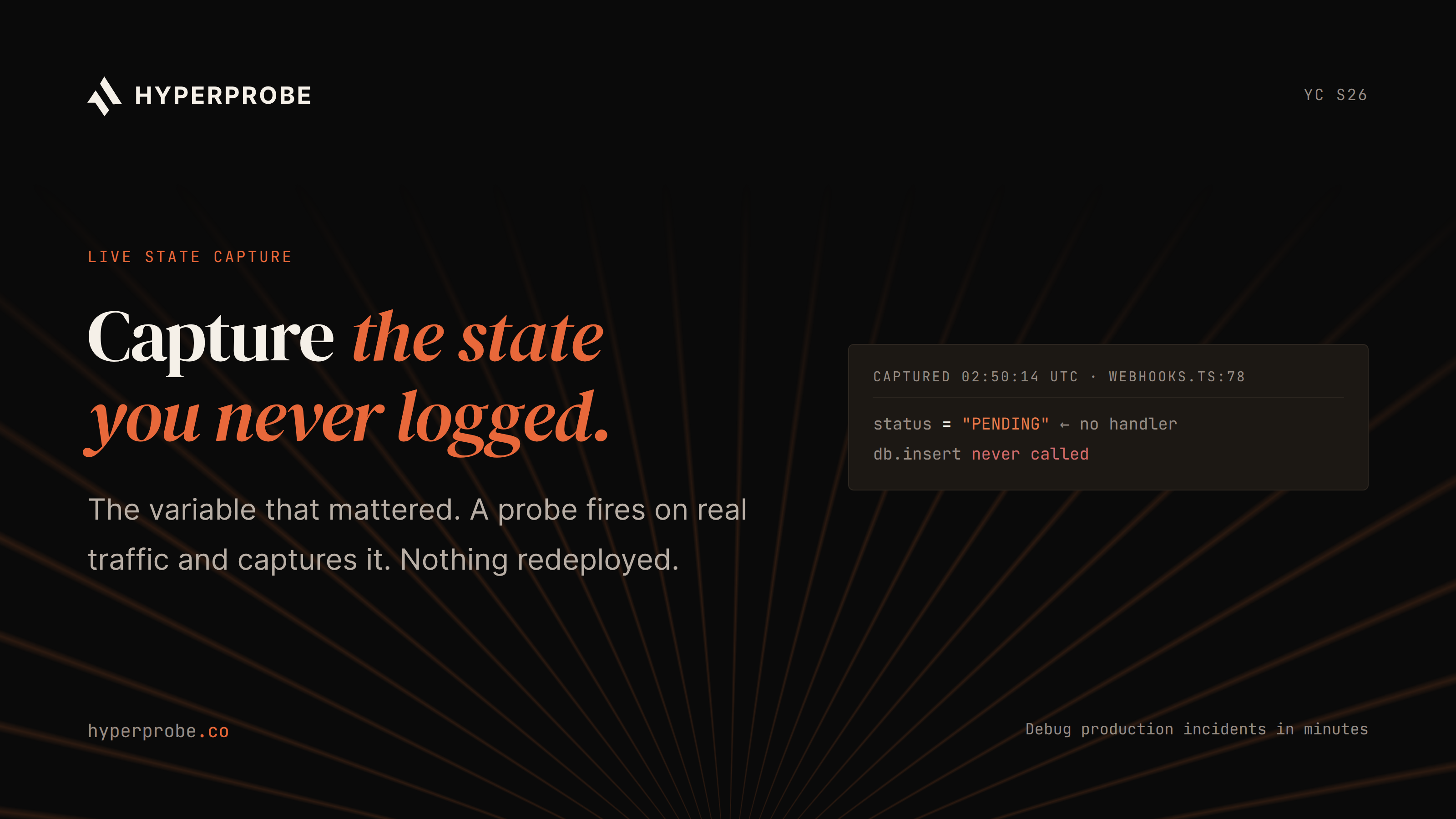
- Read production state without shipping code. Dynamic instrumentation places a capture point on a running line and returns its variable state the next time it executes, with no redeploy. Our guide on capturing a variable that was never logged covers the engineering side. An AI SRE that can capture new evidence, not only reason over existing telemetry, can do this in its first pass on an alert.
- Add one postmortem question. Which value did we need and couldn't see? Over a few incidents, the answers map your blind spots.
How HyperProbe helps reduce MTTR without redeploys
HyperProbe is an AI on-call agent built for the diagnosis stage of a production incident. It complements the logs, traces and alerts you already use: when those signals do not explain the failure, an engineer can place a probe on the suspect line through their coding agent over MCP. The read-only probe never pauses the request; when the line next executes, it captures local variables and the call stack. HyperProbe returns a root-cause assessment as Confirmed, Probable or Inconclusive with the supporting evidence, so the engineer can decide on a fix without shipping a diagnostic redeploy.
For production use, teams should evaluate the guardrails as carefully as the investigation workflow. HyperProbe probes are read-only, redact sensitive fields in the running service, record probe activity in an audit trail, and expire after defined lifetime and hit limits. Teams with stricter architectural or compliance requirements can use a private VPC or self-hosted deployment and add approval gates for probes.
Applied to the 02:14 incident, a probe can replace the logging-only redeploys. The on-call engineer receives captured state when the line next runs, then reviews the evidence before committing a fix. This does not remove the need to wait for a rare failure to recur. It removes the build-and-deploy cycle and reduces the risk of capturing the wrong variable on the next attempt.
A probe captures a line only after it is placed, so it cannot investigate a one-off incident that has already finished. It also reads application code rather than infrastructure configuration such as DNS records or load balancers.
Start by counting redeploys per incident
On your next incident, record how many redeploys were made only to collect information: deploys inside the incident window whose diff only adds logging. Multiply by your cycle time, including the recurrence wait, and by the engineers involved. That is the roadmap time diagnosis cost you.
To reduce it, try HyperProbe on one service and compare the diagnostic redeploy count and time to root-cause confirmation over the next few incidents. You can also book a live session below.
Frequently asked questions
What is a good MTTR for a backend service?
There is no useful universal number, because teams stop the clock at different events. Track your own median over time and the share of incident time spent on diagnosis. A team with a fast restore time but long, unpredictable time to root-cause confirmation still carries the risk of the same incident returning.
How is MTTR different from MTTD and DORA's failed deployment recovery time?
MTTD covers only detection. DORA's failed deployment recovery time counts only failures caused by a deployment. A diagnosis-aware incident scorecard should separately track detection, acknowledgement, root-cause confirmation, mitigation and permanent resolution, including incidents that have no deployment behind them.
Why doesn't distributed tracing find the root cause faster?
Tracing shows the path a request took and where time was spent. Unless teams have explicitly captured the needed context, it may not include response bodies, database state or local variables that explain why a value was wrong.
Is dynamic instrumentation safe to run in production?
It depends on the guardrails and the tool. HyperProbe uses read-only probes, redacts sensitive fields in the running service, records probe activity in an audit trail, and applies defined lifetime and hit limits. Teams should evaluate these controls against their own security and production requirements.
Can HyperProbe debug an incident that has already ended?
No. A probe captures state only after it is placed, so the failing line has to run again. For one-off incidents that will not recur, you still rely on the logs and traces you already have.
How do I measure what diagnosis costs my roadmap?
Count the redeploys made only to collect information during each incident. Multiply by cycle time, including the wait for the failure to recur, and by the number of engineers involved. Review that total each quarter alongside MTTR and time to root-cause confirmation.
Written by
Founder
Shailendra Singh is the founder and CEO of HyperProbe (YC S26), an AI on-call agent that debugs production incidents by capturing evidence directly from running services. He has over a decade of experience building and running production systems, starting at Applied Materials before moving into startup operating and engineering leadership roles, including at a company that later became a unicorn. He founded and ran Transporter.city from 2017 to 2021, then spent three years building HyperTest before founding HyperProbe with Karan Raina. He writes about production debugging and incident response.
RELATED READS