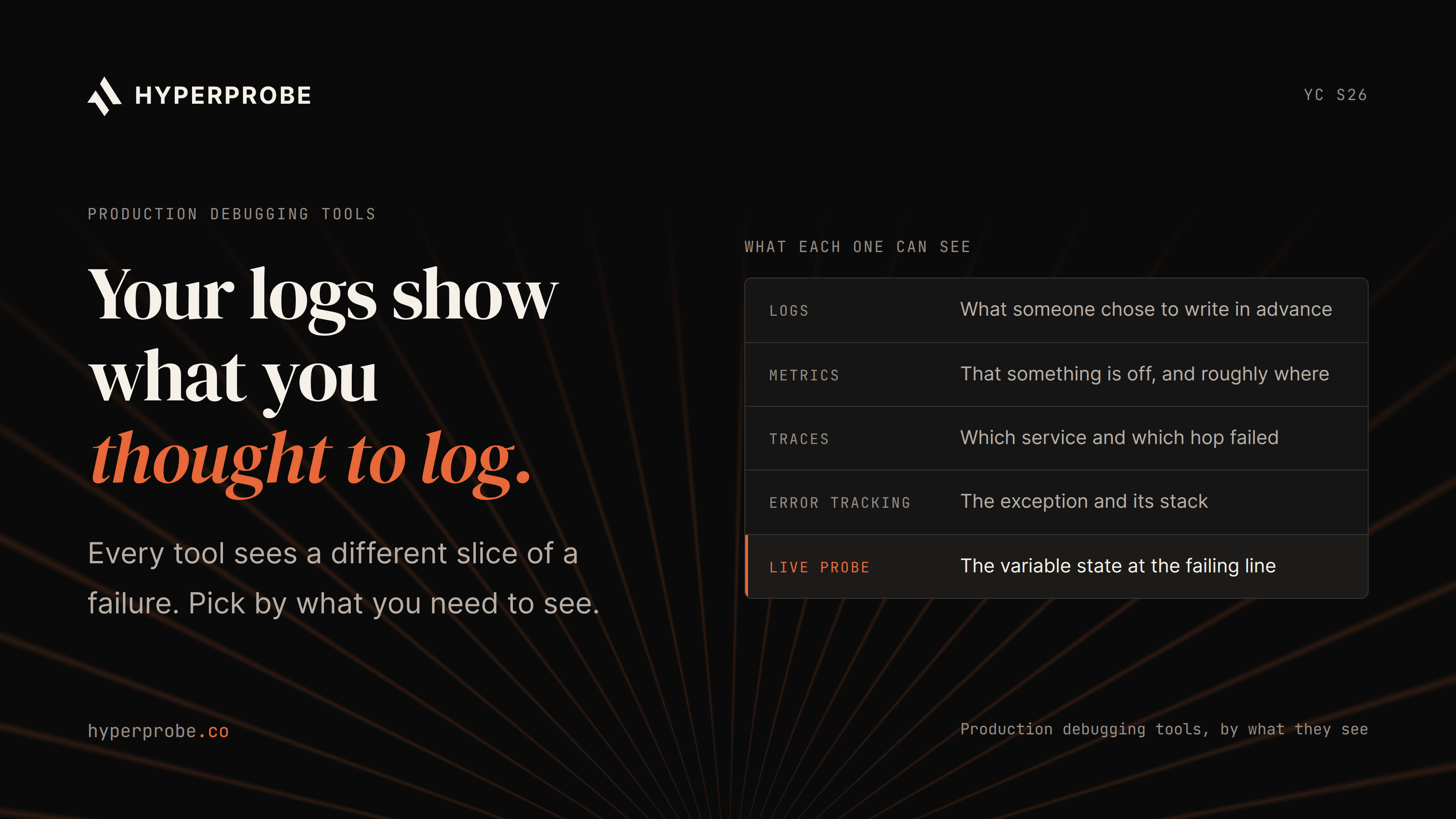
Best debugging tools for production, by what each one can see

Quick Overview:
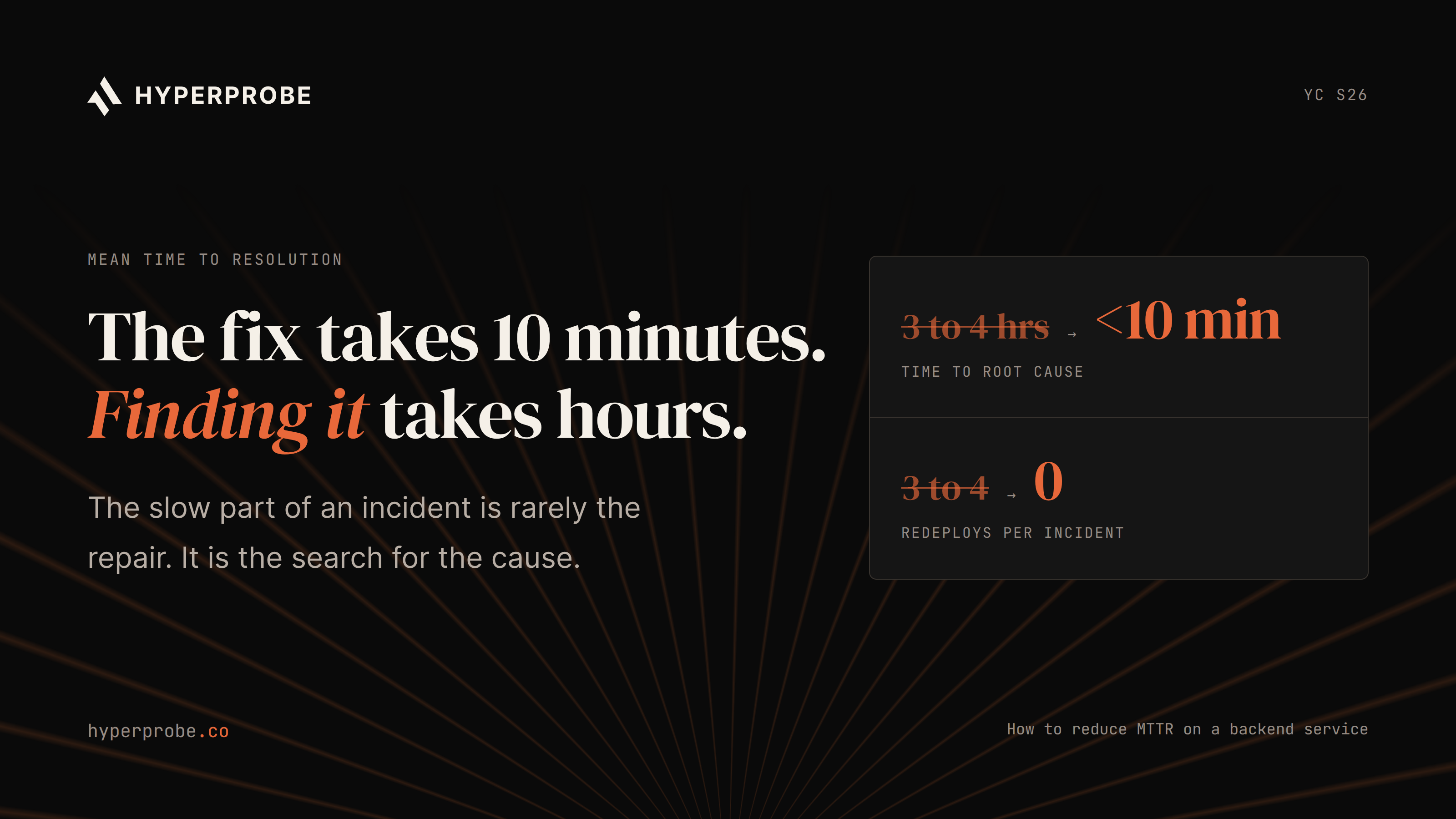
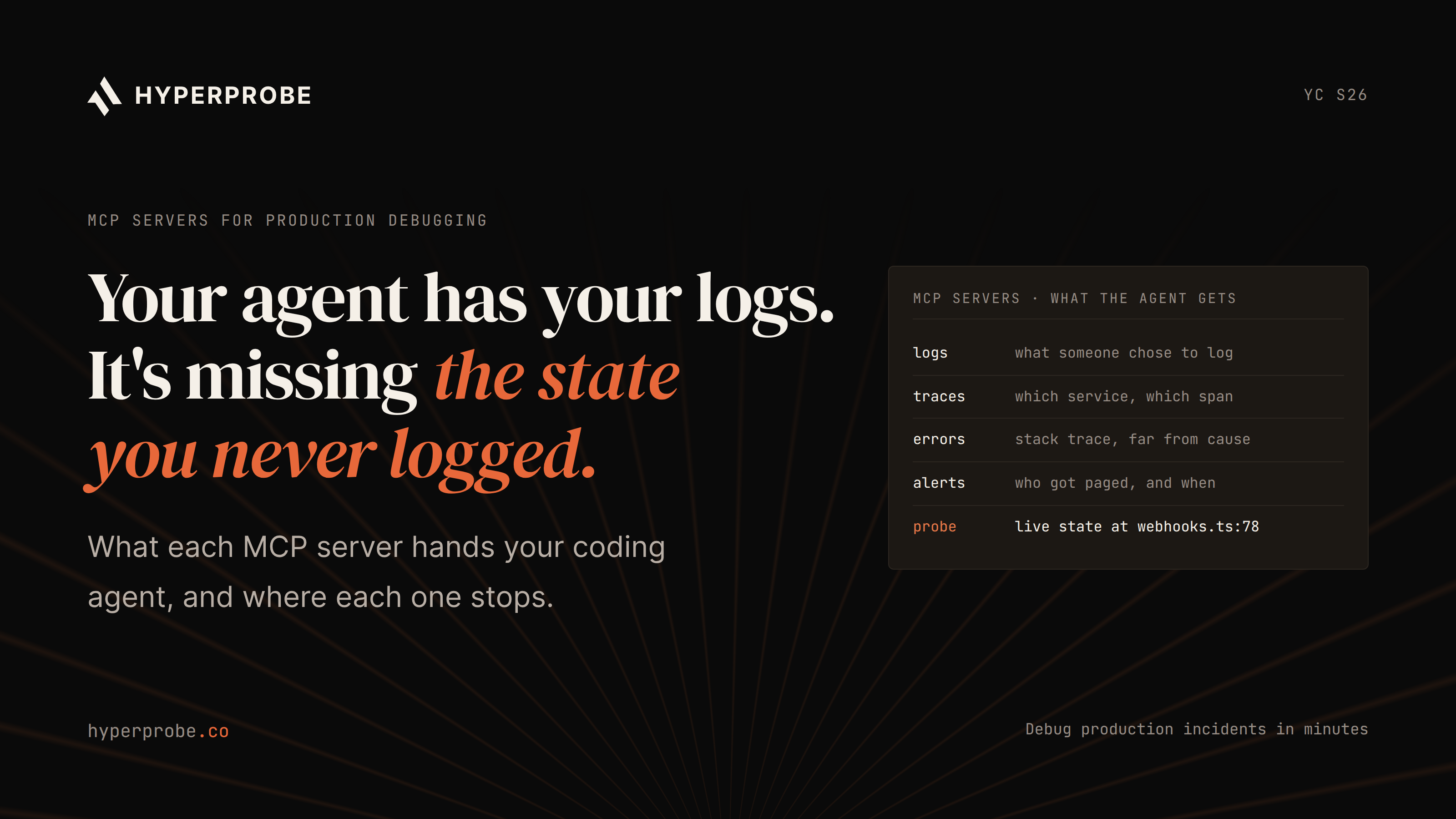
Each production debugging tool sees a different slice of a failure. Logs, APM, tracing and error tracking show that something is wrong and roughly where. Profilers and dumps cover resource and hang problems. Silent wrong-value bugs need the value itself, and the tool that most changes incident length is the one that can capture a new value without a redeploy.
A customer pays for an order, the payment provider sends its webhook, and your service records the order as unpaid. No exception fires. The webhook handler returns 200, the error rate for that endpoint stays flat, and every dashboard on the incident screen is green. The first signal is a support ticket two days later, and the on-call engineer has to work out which value in the handler sent the order down the wrong branch.
We'll use that unpaid order as a running example. Each tool category sees a different part of the failure. HyperProbe builds one of them, and we say so where it applies.
Which debugging tools work best in production?
No single tool sees a whole failure. Teams that resolve incidents fast pair broad tools that show something is wrong with narrow ones that show the value behind it.
| Category | What it sees | What it misses | Captured when |
|---|---|---|---|
| Logs | Lines written in advance | Values nobody logged | When the shipped code runs |
| APM metrics | Rate, latency and errors per endpoint | Individual requests | Continuously, as aggregates |
| Distributed tracing | Request path, span timing, chosen attributes | Bodies and unrecorded values | On sampled requests |
| Error tracking | Exceptions with stack traces | Silent 200 responses | When an exception is raised |
| Continuous profiling | CPU and memory by code path | Values and logic errors | Continuously, sampled |
| Dumps and debuggers | Full process state at one moment | How that state was reached | On demand |
| Dynamic instrumentation | Variables at a chosen line on live requests | Executions before the probe existed | From placement until expiry |
| AI agents | Whatever data they query or capture | Evidence nobody collected | During the investigation |
When you evaluate or renew a tool, ask five questions:
- What does it capture: events, aggregates, spans, stacks or values?
- When: continuously, sampled, on exception or on demand?
- What overhead does it add on a hot path?
- What production access does it need, and who signs off?
- Does capturing something new require a redeploy?
The last decides incident length most often. A tool that needs a deploy to see a new value adds a CI cycle, and a production change, to every step of the investigation.
What can logs and APM dashboards show?
Logs show what a developer chose to write before the incident. The webhook handler probably logs that it received an event for order 8841 and updated the order. It almost certainly doesn't log the amount it compared, the currency it assumed or the branch it took. Log platforms make existing lines searchable, which helps you list affected orders, but can't surface a value that was never written. Log spend also grows with volume, so teams log less on exactly the hot paths where these bugs live.
APM dashboards show rate, p95 latency and error rate per endpoint. The webhook endpoint looks healthy on all three, because in aggregate a 200 with a wrong side effect looks like a correct one.
The usual next step is a new log line, a pull request, CI, a deploy, and a wait for another payment to hit the path. Our guide on inspecting a live production variable without adding a log line covers a faster route.
What can distributed tracing see?
A trace records one request's path through your services. For the unpaid order, it would show the webhook reaching the handler, a call to the order service and a fast, successful database write. That rules out timeouts and routing.
It won't show the values. Standard instrumentation records route, status and query shape, not request or response bodies, so the payment amount appears only if someone added it as a span attribute beforehand. And sampling may have dropped the one request that mattered.
What does error tracking catch and miss?
Error trackers group exceptions and attach a stack trace and recent context. For an exception thrown close to its cause, that is usually the fastest route to the failing line.
The unpaid order never reaches an error tracker. The handler returns 200, so no event is created.
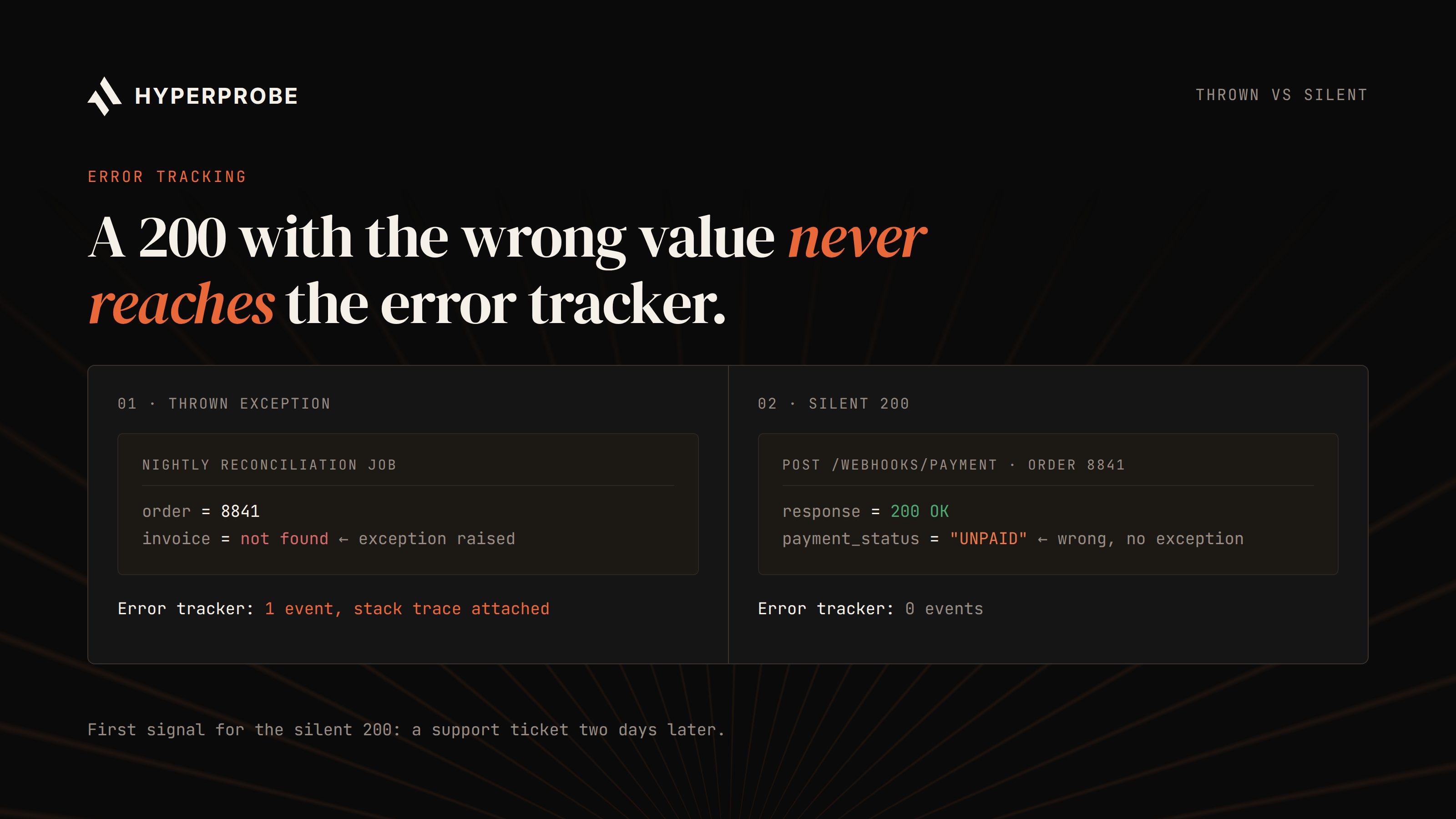
Alt text: Two request paths compared: a thrown exception creates an event in the error tracker with a stack trace, while a silent 200 response with a wrong value creates no event, so the error tracker never sees it.
Exceptions thrown far from their cause are subtler. Suppose a nightly reconciliation job later throws on the unpaid order because a payment record has no matching invoice. The error tracker catches that, with a clean stack trace into the reconciliation job, while the bad value was set two days earlier in the webhook handler. Intermittent 500 errors often have the same shape; see our guide on root cause analysis tools for intermittent 500 errors.
When is continuous profiling worth using?
Continuous profilers sample stacks from running processes and build flame graphs of CPU and memory by code path. Grafana's 2026 measurements put CPU and latency overhead in the low single-digit percent range, with memory typically under 50MB per pod. That makes profiling right for hotspots that only appear under real load, such as a serialisation path that doubles CPU after a dependency upgrade.
It isn't built for wrong-value bugs. The webhook handler shows up as a thin, correctly fast slice of the flame graph, with no record of what it computed.
Can dumps or debuggers help in production?
Heap and thread dumps capture one process at one moment: a thread dump for a hung service, a heap dump for a leak. The unpaid order's request finished two days ago, so a dump taken now holds nothing about it.
Attached debuggers pause execution at a breakpoint. If it suspends all threads, health-check threads stop too, and Kubernetes can restart the pod mid-session. Debuggers also need host or debug-port access, and Java's debug protocol has no authentication by default, so an exposed port is an attack surface. Many regulated teams ban that access outright.
How does dynamic instrumentation work?
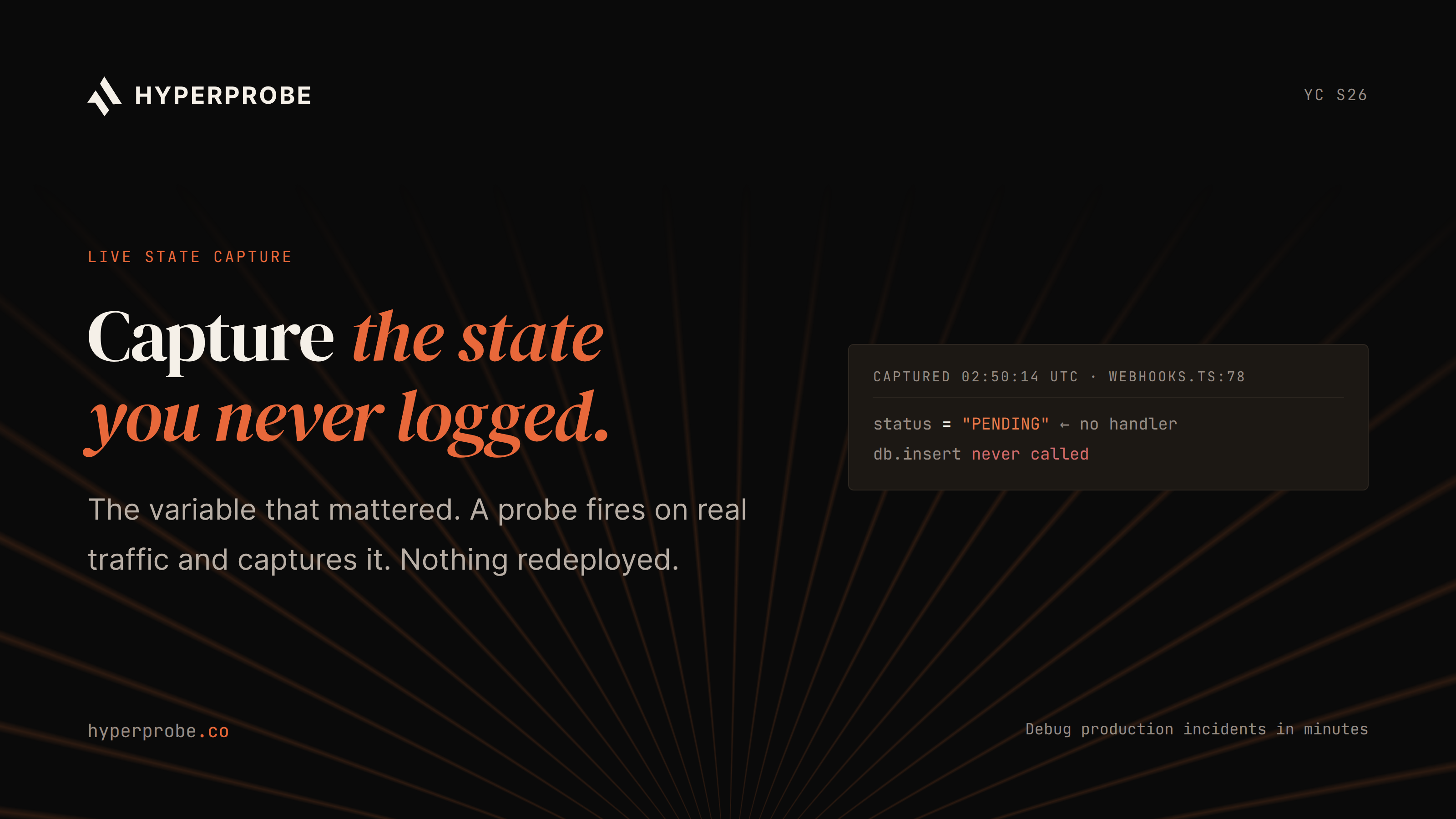
HyperProbe is an AI on-call agent built on dynamic instrumentation, so this is the category we know best. An agent runs inside the service. An engineer or a coding agent picks a line, and a probe reads local variables and the call stack when that line executes, without pausing the request or a redeploy.
For a leader signing off on production access, the guardrails matter more than the mechanism. Well-built probes are read-only, expire after a hit count or time limit, redact sensitive fields before data leaves the host, and are logged in an audit trail. Ours add under 1% overhead at 3,000 requests per second. Our explainer on dynamic instrumentation covers the mechanics.
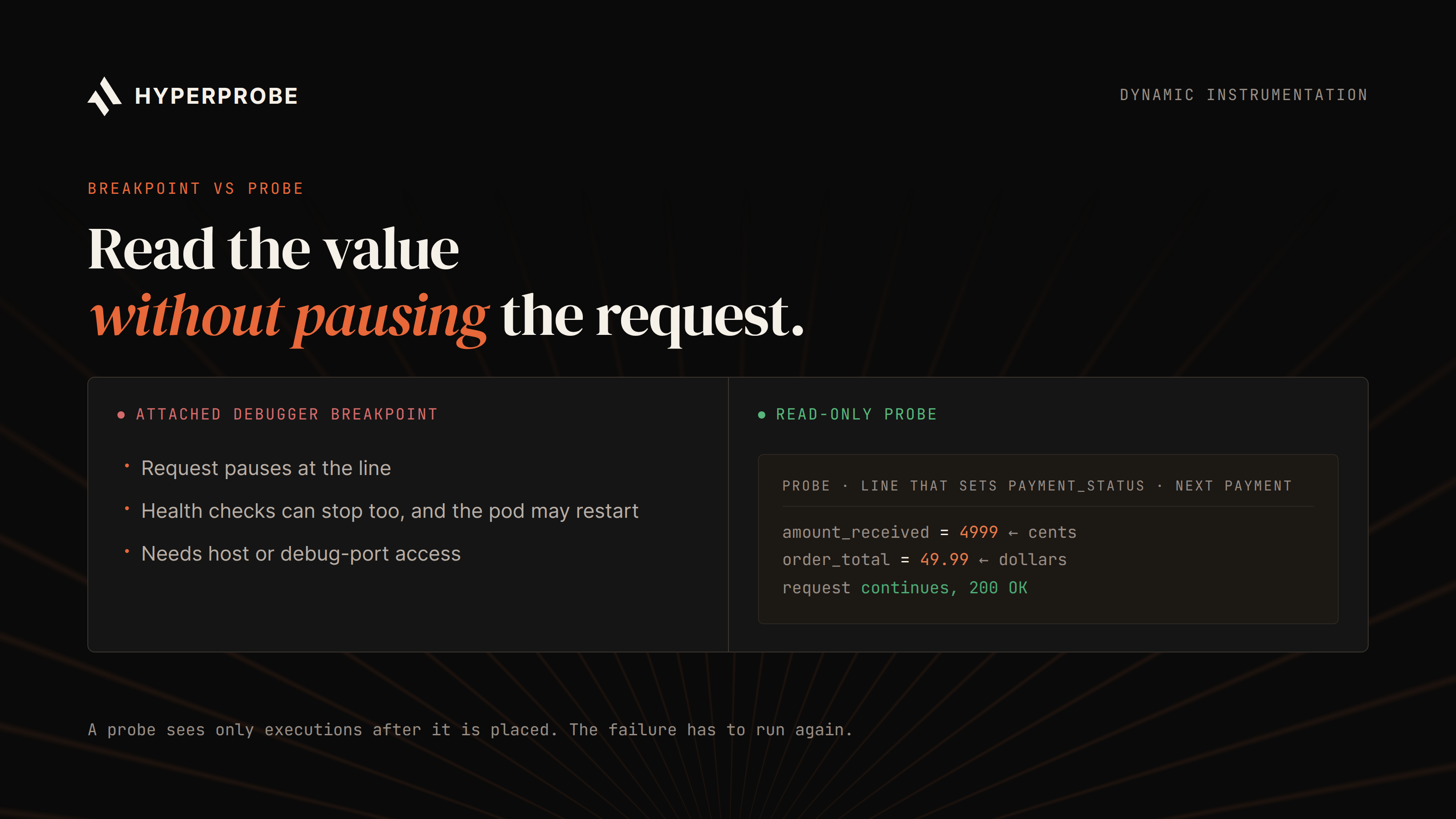
Alt text: An attached debugger breakpoint pauses the request and can stop health checks, while a read-only probe captures local variables and the call stack as the line runs and lets the request continue.
For the unpaid order, a probe on the line that sets payment_status would show amount_received and order_total side by side on the next affected payment. A unit mismatch, such as cents compared against dollars, would be visible in the first capture.
The limit is time. A probe sees only executions after it is placed, so it cannot look back at a finished incident. The failure has to recur, or the evidence has to come from what was already recorded.
Where do AI SRE tools fit?
AI incident tools come in two kinds, and the difference is where their evidence comes from.
The first kind reasons over data already collected: logs, metrics, traces and deploy history. That works well for correlation, such as spotting that unpaid orders started an hour after a webhook handler change shipped. When the cause is a value nobody recorded, it can only infer what that value probably was.
The second kind captures new evidence, placing a probe at the suspect line to confirm or reject each hypothesis with recorded values. Our AI on-call agent is the second kind and runs alongside your existing observability stack. Our guides on MCP servers for debugging production and AI SRE tools cover the wider category.
Match each failure to the right tool
"Cause" means the category can show evidence of the cause, "Where" means it narrows the location, and "No" means it is not built for that failure.
| Failure class | Logs and APM | Tracing | Error tracking | Profiling | Dumps | Dynamic instrumentation |
|---|---|---|---|---|---|---|
| Exception after a deploy | Where | Where | Cause | No | No | Cause |
| Silent wrong value, 200 response | Where | Where | No | No | No | Cause |
| Exception far from its cause | Where | Where | Where | No | No | Cause |
| Latency across services | Where | Cause | No | Where | No | Where |
| CPU regression | Where | No | No | Cause | No | No |
| Memory leak | Where | No | No | Cause | Cause | No |
| Hung process | Where | Where | No | Where | Cause | No |
Take your last five incidents and mark the category that raised the alert and, separately, the one that showed the cause. A row where the cause only came out after a redeployed log line is a gap that more dashboards won't close. See how HyperProbe fits alongside your current stack.
Debug production in minutes. Book a demo.
Frequently asked questions
What is the best debugging tool for production?
No single tool covers every failure. Logs, APM, tracing and error tracking show that something is wrong and roughly where. Profilers and dumps cover CPU, memory and hung processes. Silent wrong-value bugs need a tool that can capture the value itself, such as dynamic instrumentation.
Why don't logs and APM catch silent failures?
Logs only contain values someone chose to write before the incident, and APM shows aggregates per endpoint. A request that returns 200 with the wrong side effect looks healthy in both, so the failure usually surfaces through a support ticket or a business metric instead.
Is it safe to attach a debugger to a production service?
Usually not. A breakpoint that suspends all threads can stall health checks and get the pod restarted, and debuggers need host or debug-port access that many security teams don't allow. Non-blocking, read-only probes are the production-safe alternative.
How is dynamic instrumentation different from continuous profiling?
Profiling samples stacks to show where CPU and memory go, which suits performance problems. Dynamic instrumentation captures variable values at a chosen line on live requests, which suits logic and wrong-value bugs. They answer different questions and are often used together.
What should engineering leaders check before approving a production debugging tool?
Check what it captures, its overhead on hot paths, what production access it needs and who signs off, whether sensitive data is redacted before leaving the host, whether actions are audited, and whether capturing something new requires a redeploy.
Can dynamic instrumentation investigate an incident that already ended?
No. A probe captures only executions after it is placed, so the failing code has to run again. For one-off incidents, you rely on logs, traces and error data that were already recorded.
Written by
Founder
Shailendra Singh is the founder and CEO of HyperProbe (YC S26), an AI on-call agent that debugs production incidents by capturing evidence directly from running services. He has over a decade of experience building and running production systems, starting at Applied Materials before moving into startup operating and engineering leadership roles, including at a company that later became a unicorn. He founded and ran Transporter.city from 2017 to 2021, then spent three years building HyperTest before founding HyperProbe with Karan Raina. He writes about production debugging and incident response.
RELATED READS